Game Development
Unity vs Unreal Engine for VR, Mobile & Beginners: 2026 Guide
Unity 6.3 LTS vs Unreal Engine 5.8 compared across VR/AR, 2D/3D mobile, learning curve and studio migration ROI with verified 2026 pricing
Quick Answer
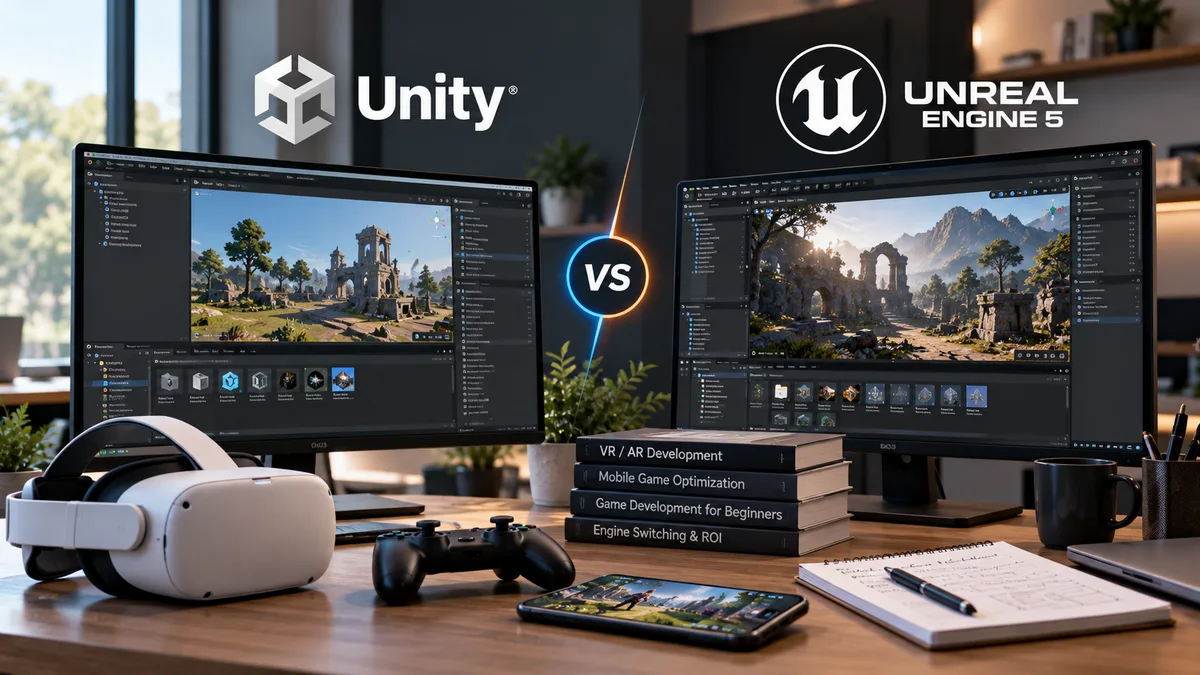
Choose Unity 6.3 LTS for 2D games, lightweight or stylised 3D mobile games, standalone VR/MR (Meta Quest), and mobile AR where binary size, battery life, fast C# iteration and the Universal Render Pipeline (URP) matter most. Choose Unreal Engine 5.8 for high-fidelity 3D PC or console games, tethered PC VR simulations, large open worlds and cinematic projects where Nanite, Lumen, MegaLights and Blueprint visual scripting save months of custom tool development. For beginners, pick Unity to learn C# with fast compile times on a modest laptop, or pick Unreal to assemble 3D gameplay visually via Blueprints and free Megascans assets. Rarely switch engines mid-production integrate cross-engine SDKs (Unity LevelPlay, MetaHuman exports) instead.
Introduction
Imagine a three-person indie studio kicking off pre-production on a stylised co-op dungeon crawler aimed at Meta Quest headsets and mid-range Android phones. During their first week, the environment artist opens Unreal Engine 5, drops modular stone ruins into a level, flips on dynamic global illumination, and produces a lighting test that looks like a big-budget console trailer in two afternoons. The choice feels obvious until the lead programmer deploys that exact test build to an untethered standalone VR headset and a mid-tier smartphone. Frame rates drop well below the headset's comfort threshold, thermal throttling kicks in after eight minutes, and the initial APK build size balloons before a single enemy behaviour is coded.
The team did not pick a "bad" engine. They picked a default rendering configuration built for high-wattage console and PC GPUs, then pointed it at battery-powered mobile silicon.
Choosing between Unity and Unreal Engine in 2026 is never about which engine can render the prettiest screenshot in a desktop viewport. The real engineering decision is matching an engine's default architecture, rendering pipeline, scripting model and commercial terms to your specific hardware constraints, team skills and production budget.
For a high-level business summary of how engine selection fits into broader software delivery, see our foundational guide on Unity vs Unreal Engine: Which One Should You Choose?. This guide goes deeper into the exact technical trade-offs for VR/AR, mobile game development, beginners and studio migration ROI in 2026.
What Has Changed in the Latest Engine Versions?
A major mistake developers make when researching "unity vs unreal engine 5" is relying on forum advice from 2022 or 2023. Both engines have undergone significant technical and commercial shifts leading into late 2026.
Unity 6 (Unity 6.3 LTS and 6.4+ Updates)
Unity transitioned from year-based naming (like Unity 2022 LTS) to the Unity 6 generation, pairing Long-Term Support (LTS) milestones with intermediate Update releases. As of October 2026, Unity 6.0 LTS reaches the end of its standard two-year support window, making Unity 6.3 LTS (released in early 2026 and supported through December 2027) the primary production target for new projects.
- Rendering and GPU Efficiency: Unity 6 introduced the GPU Resident Drawer and GPU Occlusion Culling in URP and HDRP, significantly reducing CPU draw-call overhead. Unity 6.3 LTS further refined URP's Render Graph, added custom per-renderer shader user values for better SRP batching, and introduced optimised mobile and untethered XR post-processing (including Kawase and Dual filtering for URP Bloom).
- Built-In Static Analysis: Starting in Unity 6.4 (March 2026), Project Auditor is built directly into the Unity Editor by default, scanning C# scripts, shaders, project settings and build configurations to flag memory allocations and performance bottlenecks before you deploy to a device.
- Physics Licensing Note: Starting with Unity 6.3 LTS, Havok Physics for Unity is no longer bundled with Unity Pro, Enterprise or Industry subscriptions.
Unreal Engine 5 (UE 5.6 through UE 5.8)
While Epic Games confirmed at State of Unreal 2026 that Unreal Engine 6 is in long-term development, Unreal Engine 5.8 (released June 2026) is the current production standard.
- Scalable Lighting with Lumen Lite and MegaLights: UE 5.8 introduced Lumen Lite, a streamlined lighting mode up to twice as fast as Lumen High Quality, engineered specifically to help developers hit 60 FPS on handheld gaming devices and lower-end PCs. Meanwhile, MegaLights graduated to Production-Ready in UE 5.8.
- Cross-Engine MetaHumans: Starting with MetaHuman 5.6, Epic updated the Unreal Engine EULA so developers can legally export and use MetaHuman characters and animations in Unity, Godot, Blender, Maya or Houdini.
- Production-Ready Substrate Materials: The modular material system graduated to production-ready status across all platforms, including mobile, in UE 5.7.
- Improved Mobile Workflow: UE 5.8 added automated Android SDK setup and faster mobile cook times, removing one of the most frustrating onboarding hurdles for Quest and mobile deployment.
Unity vs Unreal Engine: Key Differences
At a foundational level, Unity and Unreal Engine approach game architecture from opposite directions.
- Modular Assembly vs Integrated AAA Suite: Unity provides a lean core runtime and expects you to assemble your tech stack via the Unity Package Manager (UPM) and the Unity Asset Store. Unreal Engine ships as a batteries-included production suite: character movement, network replication, cinematic sequencing, behaviour trees, procedural foliage and MetaHuman authoring are built into the base editor.
- Programming Model (C# vs C++ and Blueprints): Unity uses C# for all gameplay scripting, compiled ahead-of-time via IL2CPP for release builds. Unreal pairs C++ (with full GitHub engine source access) with Blueprints, a deeply integrated visual scripting system that non-programmers use to build complete gameplay systems.
- Rendering Philosophy: Unity separates its pipelines into URP (scalable from 2D mobile to consoles) and HDRP (high-end PC and console). Unreal uses a unified material and lighting ecosystem (Substrate in UE 5.7+) that defaults to a high-end deferred renderer while offering a Forward Shading Renderer and Mobile Renderer for VR and mobile hardware.
Which Engine Is Better for VR and AR?
Neither Unity nor Unreal Engine is an automatic winner for every extended reality (XR) project. The right choice depends almost entirely on whether your target headset runs on standalone mobile silicon (Meta Quest 3/3S, Pico, mobile AR) or high-powered desktop/spatial hardware (tethered PC VR workstations, Apple Vision Pro).
Supported Devices and OpenXR Workflows
Both engines have standardised around OpenXR, the royalty-free Khronos Group standard that abstracts headset tracking, controller poses, hand tracking and composition layers across hardware vendors.
- Unity's XR Ecosystem: Unity manages device runtimes through XR Plug-in Management and the OpenXR Plugin, paired with the XR Interaction Toolkit (XRI) and AR Foundation. Hardware vendors (Meta, Apple, Google, Magic Leap) frequently prioritise Unity SDK samples and mixed-reality interaction building blocks.
- Unreal's XR Ecosystem: Epic ships native OpenXR plugins (OpenXR, OpenXRHandTracking, OpenXREyeTracker, XRVisualization) directly in the engine and includes a VR Template pre-configured with OpenXR input, teleport/grab interactions and mobile multi-view settings.
Performance Optimisation and Frame-Rate Stability
In VR, dropping below 72 Hz, 90 Hz or 120 Hz causes motion sickness. At 90 Hz, your entire CPU and GPU frame budget is 11.1 milliseconds; at 120 Hz it shrinks to 8.33 milliseconds.
- Why Unity Dominates Untethered Standalone VR: Standalone headsets use tile-based mobile GPUs (Snapdragon XR2 series) where memory bandwidth and pixel overdraw are severe bottlenecks. Unity's URP Single-Pass Instanced Forward Rendering starts lightweight by default. Unity 6.3 LTS added dedicated URP Bloom optimisations (Kawase and Dual filtering) tailored for mobile and untethered XR.
- How Unreal Competes in PC VR and High-End XR: To succeed with Unreal on standalone VR, engineers must switch to the Forward Shading Renderer, disable Lumen and post-processing bloat, enable Mobile Multi-View on the Vulkan RHI and configure OpenXR Foveated Rendering. For tethered PC VR, Unreal Engine 5.3+ supports Single-Pass Stereo Rendering for Nanite, processing both stereo views in a single pass.
VR/AR Verdict
Choose Unity 6 (URP) for standalone headsets (Meta Quest), mobile AR (iOS ARKit / Android ARCore) and interaction-heavy training apps where thermal stability and rapid iteration on mobile chipsets are paramount. Choose Unreal Engine 5.8 for tethered PC VR simulations, enterprise digital twins and cinematic VR experiences where desktop GPU headroom allows high-polygon CAD/Nanite assets.
Which Engine Is Better for 2D and 3D Mobile Games?
When evaluating Unity vs Unreal for mobile games across Android and iOS, it is essential to separate documented engine capabilities from actual runtime game performance. Neither engine automatically produces a faster game final performance always requires practical profiling on target devices.
2D Game Development Workflows
Here, the gap is decisive and documented.
- Unity's Native 2D Suite: Unity treats 2D as a first-class citizen. Its URP 2D Renderer includes dedicated 2D Lights, Sprite Atlas Analyser (added in 6.3), Tilemaps (including isometric 3D height support and SRP Batcher compatibility), 2D Skeletal Animation and a dedicated 2D Physics engine (Box2D). Unity 6.3 added enhanced Render 3D as 2D workflows.
- Unreal Engine's 2D Status: Unreal includes Paper2D, an older sprite and tilemap plugin, alongside third-party community plugins like PaperZD. Every Unreal scene still initialises the underlying 3D world architecture and physics overhead. Building a pure 2D mobile game in Unreal adds unnecessary binary size and memory overhead compared to Unity.
Lightweight 3D vs Visually Demanding 3D Mobile Games
For casual, mid-core, isometric strategy or stylised 3D RPGs targeting a wide spectrum of Android devices (including budget devices with 4 GB RAM), Unity's URP combined with the SRP Batcher and IL2CPP compilation lets teams strip unused engine modules and keep initial download sizes inside cellular over-the-air limits.
For cross-platform console-to-mobile action RPGs or open-world gacha games targeting flagship iPhones (Apple Silicon A17 Pro / M-series) and high-end Snapdragon 8-series Android devices, Unreal Engine's Mobile Renderer is battle-tested. Since UE 5.3-5.8, Epic has added compute-based landscape vertex culling, GPU Scene instance rendering, mobile Runtime Virtual Texturing and Production-Ready Substrate materials across mobile platforms.
Build Size, Memory, Battery and Thermal Limits
A minimal empty 3D template compiled in Unity (with aggressive managed code stripping) typically yields a smaller baseline APK/IPA than a minimal Unreal Engine build because Unreal packages a larger core C++ framework and reflection system. However, once a game adds 2 GB of compressed textures, audio banks and localised video, asset management Unity Addressables vs Unreal ChunkDownloader / Pak files dominates build size far more than the base engine binary.
Mobile devices lack active cooling fans; sustained GPU loads above 60-70% cause thermal throttling within 10 to 15 minutes. Regardless of engine, mobile developers must use adaptive frame pacing, bake static lighting where possible, audit shader instruction counts and test on physical mid-tier Android hardware. For budgeting mobile engineering and QA cycles across device tiers, see our Mobile App Development Cost Guide for 2026.
Unity vs Unreal Engine for Beginners
Search queries like "unity vs unreal for beginners" often receive overly simplistic advice. In reality, each engine lowers the barrier to entry for a different type of beginner.
Learning Curve and First-Week Onboarding
Unity's Onboarding: Unity's interface is clean and minimal. You start with an empty scene containing a Camera and a Directional Light, create GameObjects and attach modular MonoBehaviour components. Unity Learn provides structured, free Essential Pathways and Junior Programmer certifications.
Unreal's Onboarding: Unreal's editor is denser because specialised sub-editors (Material Editor, Niagara VFX, Control Rig, Sequencer, Landscape, PCG) live inside one unified application. However, Epic overhauled its Game Templates in UE 5.6+ (First-Person, Third-Person, Top-Down, Vehicle, VR) to give beginners playable, modular starting points out of the box.
C# vs Blueprints and C++
Unity (C# First): Unity requires C# for serious gameplay development. C# handles memory management automatically via garbage collection, provides clear compiler errors in IDEs like Visual Studio or JetBrains Rider, and teaches transferable software engineering skills.
Unreal (Blueprints + C++): Unreal's Blueprints visual scripting system is not a toy entire commercial indie games and AAA gameplay prototypes are built in Blueprints. For artists, level designers or beginners intimidated by syntax errors, wiring nodes together offers immediate visual feedback. However, transitioning to Unreal C++ (with macros like UPROPERTY(), header files, pointers and longer compile times) represents a much steeper climb than Unity C#.
Hardware Requirements and Marketplaces
Unity runs comfortably on mid-range laptops with integrated or entry-level discrete GPUs. Unreal Engine 5.8 especially when using Lumen, Nanite and Virtual Shadow Maps demands a modern multi-core CPU, 32 GB+ of RAM, fast NVMe storage and a dedicated ray-tracing-capable GPU for smooth iteration.
The Unity Asset Store remains the largest catalogue of 2D, mobile, UI and indie gameplay plugins. Epic consolidated Unreal Engine Marketplace, Sketchfab, Quixel and ArtStation into Fab, which offers free access to Quixel Megascans and the new Quixel Megaplants (UE 5.7+) alongside cross-engine assets.
Graphics and Performance: What Actually Matters?
When developers search "unreal vs unity graphics", they usually compare a default Unreal Engine 5 viewport against a default Unity URP viewport. Out of the box, Unreal looks dramatically more photorealistic but understanding why prevents costly architectural mistakes.
- Default Configuration vs Ceiling: Unreal Engine 5 defaults to a high-end cinematic pipeline: Nanite streams millions of triangles without manual LODs; Lumen calculates dynamic global illumination and reflections; MegaLights (Production-Ready in UE 5.8) handles dozens of shadowed area lights. Unity's HDRP is fully capable of physically based photorealism while URP defaults to fast, clean shading so mobile and VR projects do not choke on frame one.
- Art Direction Capacity: Photorealistic rendering only helps if your team has the artist headcount to feed it. For a two-person team making a stylised cel-shaded game, Unity's Shader Graph (which added custom lighting stylisation samples and 8-texture coordinate support in Unity 6.3) often delivers the target art style faster at a fraction of the GPU cost.
- Bridging the Gap in 2026: MetaHuman 5.6's EULA update allows studios to generate high-fidelity digital humans in Unreal and legally render them inside Unity. Additionally, Unreal Engine 5.8's Lumen Lite reduces the GPU cost of dynamic global illumination by up to 50% compared to Lumen High Quality, making UE5 lighting viable on handheld PCs and mid-spec hardware.
Should Your Studio Switch Game Engines? (ROI Framework)
Whether triggered by licensing changes, hiring bottlenecks or performance ceilings, studio leaders periodically ask whether they should migrate an active project or studio pipeline from Unity to Unreal or vice versa.
Do You Need to Switch Engines for Growth and Monetisation Tools?
No. You do not need to migrate your game from Unreal Engine to Unity just to use Unity's business and monetisation infrastructure.
- Unity LevelPlay (Ad Mediation): Unity LevelPlay operates as a cross-platform mobile ad mediation SDK (via the ironSource/LevelPlay SDK suite) that mobile developers can integrate into native Android/iOS or Unreal Engine mobile builds to manage multiple ad networks.
- Unity Gaming Services (Matchmaker and Hosting): Unity has deliberately decoupled several backend services from the Unity runtime. Unity Multiplayer Matchmaker supports third-party hosting and REST/SDK integrations, just as Epic's Epic Online Services (EOS) can be integrated into Unity games for free cross-play and voice chat.
- If your pain point is monetisation, ad mediation or matchmaking not core rendering or gameplay workflow integrate the SDK into your existing engine rather than absorbing a six-figure engine rewrite.
How to Evaluate Full Engine Migration ROI
When a studio genuinely considers moving an existing codebase between Unity and Unreal, evaluate these operational dimensions:
- Source Code and Gameplay Systems: C# MonoBehaviour / DOTS code and Unreal C++ / Blueprints are completely incompatible. Every gameplay script, AI state machine, UI controller and custom networking layer must be rewritten from scratch.
- Asset and Animation Portability: Static 3D meshes (FBX, USD, glTF) and raw PBR textures transfer cleanly, and MetaHumans can now legally move between engines. However, shaders, materials, particle systems, terrain layers, lighting setups and animation state machines must be rebuilt.
- Custom Tools and CI/CD: Editor extensions, build automation pipelines and automated test harnesses require full re-engineering.
- Staff Training: Retraining a team of C# programmers in Unreal C++ (or vice versa) creates a 3-to-6-month velocity dip.
- When Optimising Beats Migrating: If your project is more than 25-30% through production, hiring a senior rendering engineer for $30,000-$50,000 to strip unused plugins, configure the Mobile Forward Renderer and set up automated device profiling is almost always more economical than switching engines mid-flight. See our guides on the Game Development Process from Idea to Launch and How Much Does Game Development Cost?.
Cost, Licensing and Long-Term Maintenance (Verified 2026 Terms)
Both companies updated their pricing structures between late 2024 and January 2026. Below are the verified commercial terms as of October 2026.
Unity Pricing in 2026
After permanently cancelling its controversial Runtime Fee in late 2024, Unity operates strictly on a seat-subscription model with revenue/funding tiers.
- Unity Personal ($0 / Free): Available to individuals and small businesses with up to $200,000 USD in total annual revenue and funding. There are no royalties.
- Unity Pro ($2,310/year per seat, or $210/month): Reflects the 5% price increase that took effect on January 12, 2026. Required for businesses with over $200,000 USD in annual revenue or funding. Includes closed console and Apple Vision Pro build support.
- Unity Enterprise (Custom Pricing): Required for businesses with more than $25,000,000 USD in annual revenue and funding. Includes an extra third year of LTS support.
- 2026 DevOps Inclusion: Unity removed per-seat charges for public cloud-hosted Unity Version Control, expanded free cloud storage to 25 GB and included 100 Mac build minutes for Unity Build Automation.
Unreal Engine Pricing in 2026
Unreal Engine's licensing separates game development from non-game seat licensing.
- Free Up to $1,000,000 USD Lifetime Gross Revenue: Unreal Engine is free to download and use until a commercial game exceeds $1,000,000 USD in lifetime gross revenue.
- Standard 5% Royalty (or 3.5% with Launch Everywhere with Epic): Above $1 million, a 5% royalty applies. Sales made directly on the Epic Games Store are exempt, and games that launch simultaneously on the EGS alongside other stores qualify for a reduced 3.5% royalty rate.
- Non-Game Seat Licensing: For non-game linear content, automotive HMIs or enterprise simulations, Unreal uses a seat-based subscription model at $1,850 USD per seat/year.
Which Engine Should You Choose? Four Realistic Scenarios
To turn these technical specifications into a concrete decision, evaluate how your project maps to these four realistic studio scenarios.
Scenario 1: The Standalone VR and Mixed Reality Startup
A four-person team building a multiplayer mixed-reality fitness or industrial training application targeting Meta Quest 3/3S at a locked 90 Hz frame rate.
Recommended Engine: Unity 6.3 LTS (URP). On battery-powered standalone headsets, thermal headroom and frame-time stability outweigh desktop ray-tracing features. Unity's URP forward renderer, combined with Unity 6.3's untethered XR post-processing optimisations, lets a small team hit 90 Hz without spending months stripping down a deferred rendering pipeline.
Scenario 2: The Cross-Platform Mobile Game Studio
A studio building a free-to-play 2D/3D hybrid strategy RPG targeting both iOS and a wide range of Android devices, relying on ad mediation and in-app purchases.
Recommended Engine: Unity 6.3 LTS. Unity's URP 2D/3D hybrid rendering, native Unity LevelPlay integration, built-in Project Auditor (6.4) and lower baseline memory footprint allow your build to run smoothly on 4 GB RAM Android phones. Exception: choose Unreal Engine 5.8 only if building a flagship 3D action RPG targeting high-end mobile and PC/console simultaneously.
Scenario 3: The Solo Beginner or First-Time Indie Team
A solo creator or two-person team with limited budget building their first commercial project on mid-range hardware.
Pick Unity Personal (Free up to $200K) if your game is 2D, stylised 3D, mobile or systems-heavy and you want to learn C# with fast compile times on a standard laptop. Pick Unreal Engine 5.8 (Free up to $1M gross revenue) if your game is a 3D first-person or third-person experience for PC/Steam, you have a desktop GPU capable of running UE5 and you prefer assembling gameplay logic visually via Blueprints and Fab/Megascans assets.
Scenario 4: The Established Studio Debating an Engine Migration
A 15-person studio with an existing codebase facing either a performance bottleneck on secondary platforms or a desire to adopt the rival ecosystem's backend growth tools.
Recommended Action: Do not migrate mid-project unless the project is still in early prototyping (less than 20% complete). Rewriting months of C# into C++/Blueprints (or vice versa) almost always costs more in engineering burn rate than any licensing delta. If you are an Unreal studio looking for Unity's monetisation stack, integrate Unity LevelPlay or Unity Matchmaker directly. If you are a Unity studio wanting Unreal's digital humans, use the updated MetaHuman 5.6+ EULA to author characters in MetaHuman Creator and export them into your Unity project.
The 4-Step Engine Decision Checklist
Before locking your team into Unity 6.3 LTS or Unreal Engine 5.8, run your project requirements through this four-step engineering filter.
- Step 1 Audit Your Lowest-Spec Target Hardware First: If your game must run at 60-90 FPS on mid-tier Android phones or standalone VR headsets, start with Unity (URP) unless your team has proven experience stripping down Unreal's Mobile/Forward Renderer. If your baseline hardware is PC, PlayStation 5, Xbox Series X|S or high-end desktop VR, Unreal Engine 5.8 gives you an immediate visual and tooling head start.
- Step 2 Match the Pipeline to Your Art Style and Team Size: Do not pay the GPU and workflow tax of a photorealistic deferred renderer if you are making a 2D platformer or stylised low-poly mobile game. Do not spend six months building custom open-world streaming and foliage tools in Unity when Unreal's World Partition, PCG and Nanite ship ready for production.
- Step 3 Test Your Core Mechanic in a 2-Week Vertical Slice: Never commit a multi-year budget based on editor viewport frame rate alone. Build a two-week greybox vertical slice and profile it on your actual lowest-spec target device using Unity's Project Auditor / Frame Debugger or Unreal Insights.
- Step 4 Model Total Cost of Ownership Over 3 Years: Calculate your expected seat count (Unity Pro at $2,310/seat/year) against your realistic gross revenue forecast above $1,000,000 (Unreal's 5% / 3.5% royalty), and factor in local hiring availability for C# versus C++/Blueprint developers.
Summary
Key Takeaways
- Unity 6.3 LTS suits 2D games, casual/mid-core 3D mobile, standalone VR (Meta Quest), mobile AR and cross-platform C# indie games.
- Unreal Engine 5.8 suits high-fidelity 3D PC/console games, large open worlds, cinematic games, tethered PC VR and virtual production.
- For standalone VR, Unity's URP forward renderer delivers the thermal stability and frame-time budgets that mobile-silicon headsets demand.
- For beginners, choose Unity if you want to learn C# with fast compile times, or Unreal if you want to build 3D gameplay visually in Blueprints.
- Never switch engines mid-production solely for licensing or monetisation integrate cross-engine SDKs instead.
- Always verify engine pricing at the official pages: unity.com/products and unrealengine.com/en-US/license.
Unity 6.3 LTS vs Unreal Engine 5.8 (2026)
| Category | Unity (Unity 6.3 LTS / 6.4+) | Unreal Engine (UE 5.8) |
|---|---|---|
| 2D Development | Dedicated URP 2D Renderer, 2D Lights, Tilemaps, Sprite Atlas Analyser (6.3) and Render 3D as 2D | Legacy Paper2D plugin inside a 3D engine core; relies on community plugins |
| Stylised Mobile Games | Lightweight URP pipeline, custom lighting stylisation in Shader Graph (6.3) and modular stripping | Supported via Mobile Renderer and Substrate materials, but carries higher baseline memory overhead |
| High-Fidelity 3D Games | Supported via HDRP and GPU Resident Drawer; requires more third-party tools for large open worlds | Native Nanite, Lumen, Lumen Lite (5.8), MegaLights (5.8), PCG (5.7), Mesh Terrain (5.8) and MetaHuman |
| VR and AR | XR Plug-in Management, OpenXR, XR Interaction Toolkit, AR Foundation, mobile URP Bloom (6.3) | Native OpenXR plugins, Single-Pass Stereo Nanite, OpenXR Foveation and XRScribe debugging |
| Graphics and Rendering | Split between URP (scalable) and HDRP (high-end) with Render Graph | Unified Substrate material pipeline (5.7+) with Deferred, Forward, Nanite, Lumen and Lumen Lite |
| Mobile Optimisation | IL2CPP compilation, SRP Batcher, built-in Project Auditor (6.4) and granular package stripping | Mobile Vulkan/Metal RHI, VirtualTextureBuilder mobile outputs (5.5+) and faster Android SDK setup (5.8) |
| Learning Curve | Clean component-based UI (GameObject + MonoBehaviour) and structured Unity Learn pathways | Feature-dense editor with updated game templates (UE 5.6+) that accelerate 3D prototyping |
| Programming | C# primary scripting (fast compile times, managed memory); optional Visual Scripting | Blueprints (industry-standard visual scripting) paired with C++ and full engine source access |
| Asset Ecosystem | Unity Asset Store (deepest catalogue of 2D, mobile, UI and indie gameplay systems) + Unity LevelPlay | Fab Marketplace (includes free Quixel Megascans and Megaplants) + cross-engine MetaHuman exports |
| Migration Cost | C# talent pool is broad across mobile/indie studios; scenes and shaders cannot import from Unreal | C++ engineers command higher salaries; Blueprints ease designer onboarding; MetaHumans now export to Unity |
| Licensing | Free under $200K revenue/funding; Pro $2,310/yr/seat over $200K; Enterprise over $25M. 0% royalty | Free up to $1M lifetime gross revenue per game; 5% royalty above $1M (or 3.5% via Launch Everywhere) |
| Best-Fit Projects | 2D games, casual/mid-core 3D mobile, standalone VR (Quest), mobile AR and cross-platform C# indie games | High-fidelity 3D PC/console, large open worlds, cinematic games, tethered PC VR and virtual production |
Pitfalls
Common Mistakes to Avoid
- Enabling UE5 Deferred Rendering and Lumen on standalone mobile VR switch to Forward Shading immediately or use Unity URP.
- Assuming either engine guarantees a small APK without configuring asset bundles (Addressables / Pak chunks) and texture compression.
- Beginners attempting complex custom C++ systems in Unreal during week one instead of prototyping in Blueprints first.
- Switching engines mid-project just to access Unity LevelPlay ad mediation (use the cross-platform SDK in Unreal) or MetaHumans (export them to Unity under the 5.6 EULA).
- Relying on comparison advice from 2022 that still references Unity's cancelled Runtime Fee or claims Unreal cannot run on mobile.
- Committing a multi-year budget based on editor viewport frame rate without profiling on the actual lowest-spec target device.
FAQ
Frequently Asked Questions
Is Unity or Unreal Engine 5 better for VR in 2026?
Unity (Unity 6.3 LTS) is generally better for standalone mobile VR and mixed reality (such as Meta Quest) because its Universal Render Pipeline (URP) starts lightweight and includes mobile/XR-specific post-processing optimisations. Unreal Engine (UE 5.8) is often preferred for tethered PC VR simulations and enterprise visualisations where desktop GPUs can leverage Single-Pass Stereo Nanite and high-polygon assets.
Did Unity cancel the Runtime Fee? What does Unity cost in 2026?
Yes, Unity permanently cancelled the Runtime Fee. As of January 12, 2026, Unity Personal remains free for individuals and companies with under $200,000 USD in annual revenue and funding. Companies above $200,000 require Unity Pro at $2,310 USD per seat/year ($210/month), and companies above $25 million require Unity Enterprise, with 0% revenue royalties on all plans.
What are Unreal Engine's royalties in 2026?
Unreal Engine is free to use for game development until your game earns $1,000,000 USD in lifetime gross revenue. Above $1 million, Epic charges a 5% royalty (reduced to 3.5% if you launch simultaneously on the Epic Games Store under the Launch Everywhere programme, and 0% on revenue earned directly from the Epic Games Store).
Can an Unreal Engine studio use Unity's growth and ad mediation tools?
Yes. Studios building mobile or cross-platform games in Unreal Engine do not need to switch engines to use Unity LevelPlay for mobile ad mediation or Unity Multiplayer Matchmaker. Similarly, Unity studios can use Epic Online Services (EOS) and export MetaHuman characters into Unity under Epic's updated 5.6+ EULA.
Is C# in Unity easier for beginners than Blueprints in Unreal Engine?
It depends on how you learn. Unreal's Blueprints allow beginners to build playable 3D gameplay visually without typing code or worrying about syntax errors. However, if you want to write traditional text-based code, Unity's C# is significantly easier to learn, debug and compile than Unreal Engine's C++.
Which engine is better for mobile games?
Unity is the stronger default choice for 2D, casual and stylised 3D mobile games that need to run on a wide range of Android devices including budget phones with 4 GB RAM. Unreal Engine can produce visually impressive mobile games but is better suited for high-fidelity 3D titles targeting flagship hardware. Both engines require device-level profiling for production-quality results.
Wrap-up
Final Thoughts
Neither Unity nor Unreal Engine is universally "better" each engine is the right tool for specific hardware targets, team compositions and production budgets. Match the engine to your lowest-spec target hardware first, then validate with a two-week vertical slice on real devices.
If your project targets standalone VR, 2D, stylised mobile or systems-heavy indie games, start with Unity 6.3 LTS. If your project targets high-fidelity 3D for PC/console, tethered PC VR or cinematic experiences, start with Unreal Engine 5.8. And if you are mid-production, optimise before you migrate.
References
Sources
- Unity Plans and Pricing (2026)
- Unity 2026 Pricing Updates (January 12, 2026)
- Unity 6.3 LTS Support Policy
- Unity 6.4 Release and Built-in Project Auditor
- Unity XR Plug-in Management Manual
- Unity OpenXR Plugin Manual
- Unity LevelPlay Ad Mediation
- Unreal Engine EULA and Licensing
- Unreal Engine Licensing FAQ
- Unreal Engine 5.8 Release Notes (June 2026)
- State of Unreal 2026 (UE 6 in development)
- Updated Game Templates for UE 5.6
Let's talk
Build Your Next Digital Product
Vaqnova develops games and interactive experiences in Unity and Unreal Engine. Whether you are choosing an engine for a new project, optimising mobile performance or evaluating a studio migration, our engineering team can help you make the right call.
Talk to Our Team