Custom Software
Custom Software vs SaaS: When Should Your Business Move Beyond Excel?
A five-year cost model, a four-path build-vs-buy matrix and a 30-point readiness scorecard for operations and finance leaders deciding what replaces the spreadsheet
Quick Answer
Stay in Excel (and tidy it up) if a small team runs a process that changes often, carries little compliance risk and is mostly ad-hoc analysis. Buy off-the-shelf SaaS when the bottleneck is a standard function such as accounting, CRM, payroll or ticketing and a product already fits 80-90% of the workflow. Integrate the tools you have when they work well individually and the real pain is re-typing data between them. Build custom software only when the core workflow is genuinely how you compete, SaaS forces expensive workarounds, or per-user fees for a growing staff, client or vendor base exceed the five-year cost of owning your own application.
Introduction
Every Tuesday at 8:30 AM, the operations manager at a 30-person distribution and field-services company opens a file called Master_Operations_Tracker_v14_FINAL_UseThisOne.xlsx. The company is a composite, but the file will look familiar to a lot of growing businesses.
Four years ago, with eight employees, that workbook was a masterpiece. It tracked quotes, inventory allocations, technician schedules and invoice approvals in one place, cost nothing extra and the founder could change a formula in thirty seconds.
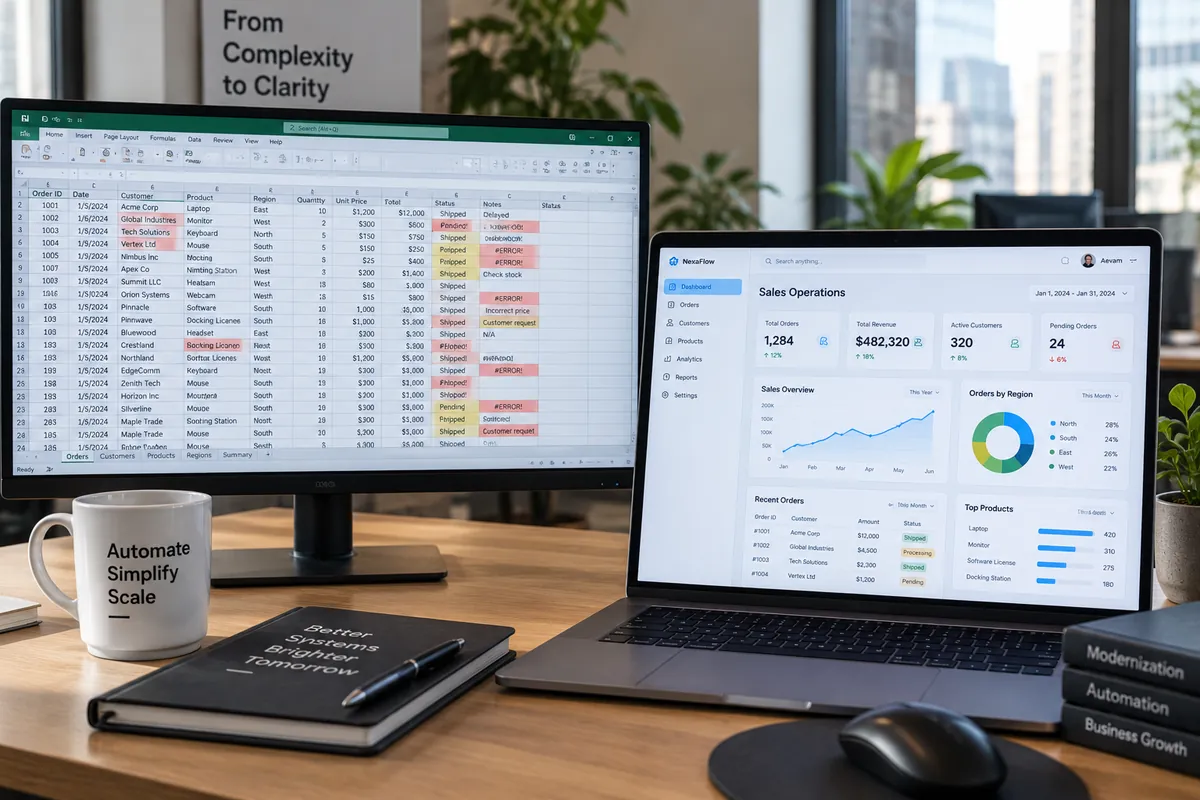
Today it takes 45 seconds to open. Sales reps keep local copies because the shared file lags when five people filter at once. Warehouse staff copy order lines into a separate shipping sheet and transpose SKU numbers twice a week. Finance spends Thursday afternoons working out why the Sales tab and the Invoicing tab disagree by $14,200, until someone finds a dragged cell range that overwrote a VLOOKUP.
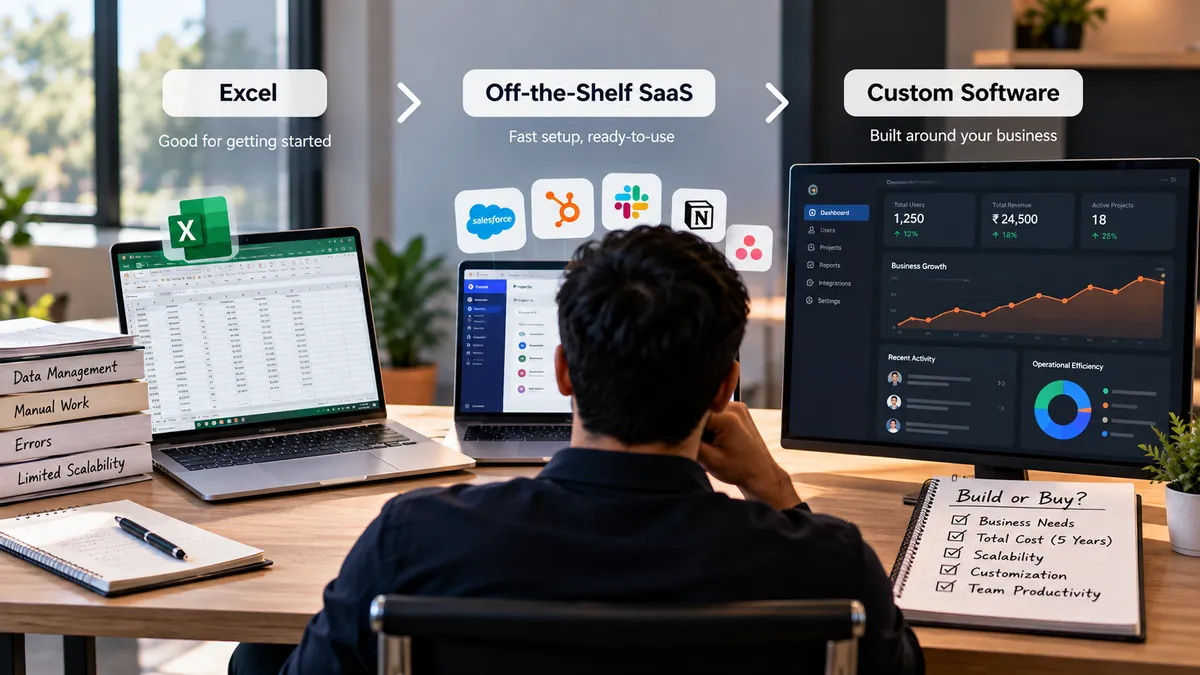
At that point leadership faces a three-way decision: clean up the spreadsheets, subscribe to off-the-shelf SaaS, or invest in custom software. This guide gives you the tools to make that call: a plain comparison of the three options, a five-year total cost of ownership (TCO) model you can rerun with your own quotes, a build-vs-buy matrix and a readiness scorecard that tells you when not to build.
The moment Excel stops working
Spreadsheets rarely fail overnight. They charge a quiet, compounding tax on your team's time and confidence. Early on, flexibility matters more than structure: if a customer wants an unusual billing schedule, someone adds two columns and moves on.
The turning point comes when transaction volume, headcount and approval rules cross the line between personal calculation and multi-user operational execution. A spreadsheet combines three things that software architecture deliberately keeps apart: the data (where records live), the business logic (the formulas and rules) and the interface (what each person sees and edits).
Because all three sit exposed in the same grid, everyone who edits data is also editing your database and your source code. That is fine for one analyst. It becomes an operational liability once twenty or thirty people hand work to each other through the same file. Excel also has hard technical limits on rows, memory and calculation, documented in Microsoft's Excel specifications and limits, and multi-tab workbooks built on volatile functions like INDIRECT and OFFSET slow down well before those limits.
Excel vs SaaS vs custom software: what is the difference?
Strip away the jargon and the three options differ in who enforces the workflow, how data is structured and how cost behaves over time.
- Spreadsheets (Excel, Google Sheets): a flexible cell-based canvas. Workflows are enforced by human discipline: people remember which columns to fill and whom to email next. Data lives in flat tabs linked by formulas such as XLOOKUP or INDEX/MATCH, which break when rows or columns shift. Near-zero software cost, but hidden labour grows with every user.
- Off-the-shelf SaaS: pre-built, cloud-hosted software rented by subscription and shared across thousands of customers. Workflows follow the vendor's rules, configured within the limits the vendor allows. The vendor runs the database and controls the roadmap. Low-to-moderate setup cost, then recurring per-user or usage fees that scale with headcount.
- Custom software: an application designed around your own data model, approvals, pricing rules and integrations. The system enforces your exact logic automatically. Higher upfront investment, no per-seat licence fees, and you own the roadmap along with the responsibility for hosting and maintenance.
Where to go deeper
If you want the full lifecycle of a bespoke build, read what custom software development is and why growing businesses use it. If your question is cloud subscription versus an on-premise installation rather than build versus buy, see SaaS vs traditional software.
Seven signs your business has outgrown Excel
Not every spreadsheet should be retired. Finance teams at very large companies still use Excel daily for scenario modelling, variance analysis and board charts. You only have an Excel problem when spreadsheets are the core transaction system running the business. Watch for these signals (our full checklist of signs you have outgrown spreadsheets goes further):
- The same data is re-typed into three or more files. An approved quote is re-keyed into a production tracker, an inventory sheet and the accounting system, and every hand-off adds delay and typos.
- Shadow spreadsheets multiply. The warehouse manager stops trusting the master sheet and keeps a private tracker, and meetings turn into arguments about whose numbers are right.
- Management reports take days. Answering "which product lines or crews had the best net margin last month?" means an analyst spends a day merging CSV exports.
- One broken formula can distort pricing for weeks. Spreadsheets have no automated tests, so an overwritten formula in a quoting workbook can underprice bids until finance notices.
- You cannot restrict access by row and column. A technician should see their own work orders but not company revenue; a sales coordinator should edit quantities but not see supplier rebates. Spreadsheets push you into splitting files per person and stitching them back together.
- There is no trustworthy approval trail. Version history shows that cell G42 changed from Pending to Approved at 2:14 PM, but it does not check whether that person was allowed to approve a $25,000 purchase order. Role-based access and audit logging are core controls in frameworks such as NIST SP 800-53.
- Multi-step work lives in email alongside the sheet. When changing a status column depends on someone remembering to send a message, tasks fall through the cracks during busy weeks and holidays.
Custom software vs off-the-shelf SaaS: the real trade-offs
Once you decide to move core operations out of spreadsheets, the question becomes build or buy. Neither is universally better; each trades speed, control and long-term cost differently.
- Implementation speed: SaaS wins. The code already exists, so a standard tool can usually be configured and rolled out in weeks to a few months. Custom software needs discovery, design, build and testing, typically three to nine months for a first production release depending on scope.
- Workflow fit: SaaS is designed for the average customer in an industry. If your process matches, it feels effortless. If the last 20% of your workflow, such as multi-tier contractor commissions, dynamic kit assembly or specialised compliance, is what makes you different, bending SaaS to fit produces custom fields, side spreadsheets and frustrated staff. Custom software starts from your workflow.
- Integrations and data silos: most companies end up with five to ten SaaS tools. Connecting them often needs paid middleware such as Zapier, Make or an enterprise iPaaS, and sometimes a higher plan just to unlock API access. A custom application can act as one operational hub that talks directly to your accounting system or payment gateway.
- Vendor dependency vs ownership: with SaaS the vendor handles hosting, patches and uptime, which is a real advantage for lean teams. The cost is lock-in: prices can rise at renewal, features can be retired and key reports can move to an enterprise tier. With custom software you own the code and roadmap, and you also own hosting and maintenance, either in-house or through a partner.
- User economics: SaaS pricing usually scales per user per month. Custom software has a fixed build cost and infrastructure that scales with computing load, not with how many employees, subcontractors or customers log in.
Five-year total cost of ownership: Excel vs SaaS vs custom software
The most common mistake in software comparisons is looking only at year one. In year one, Excel looks free, SaaS looks affordable and custom software looks expensive. Over five years (60 months) the curves cross in ways that surprise many leadership teams.
Use one consistent formula for every option: 5-year TCO = initial setup or build + 5 years of licensing + migration and integration + maintenance and support + hosting + training + future expansion + internal operational labour. For the infrastructure side of a custom build, the AWS Well-Architected cost optimisation pillar is a useful framework for lifecycle costs.
Keep two numbers apart: direct cash outlay (money paid to vendors, developers and cloud providers) and estimated internal labour (the fully loaded cost of staff hours spent on re-entry, reconciliation and workarounds). Mixing them is how biased comparisons are made.
Assumptions behind the illustrative 25-user scenario
The five-year TCO table below is an illustrative, hypothetical scenario for a mid-sized operational business, built so you can see how each cost category behaves. It is not a quote and not a promise of savings. All figures are USD.
- 25 internal users, constant across the 60 months (growth is modelled separately in the team-size table).
- Excel: the company already pays for Microsoft 365 or Google Workspace for email and documents, so base office licences are excluded from all three options; only incremental add-ins and connectors are counted.
- SaaS: a mid-market operational platform at $70 per user per month ($21,000 a year for 25 users), plus onboarding, $150 a month of middleware, premium support and module upgrades.
- Custom software: an $85,000 initial build, maintenance at 10% of build cost a year ($8,500), $200 a month of cloud hosting and planned phase-two features in years two to five.
- Internal labour at a fully loaded $35 an hour over 50 working weeks a year: 24 hours a week for Excel (reconciling files, fixing formulas, compiling reports), 7.5 hours a week for SaaS (workarounds for the roughly 25% of workflows that do not fit, plus admin) and 2.5 hours a week for custom software (product ownership, permissions, sprint reviews).
What the numbers show
At 25 users, custom software is not the cheapest option in direct cash: $182,000 against $165,000 for SaaS and $10,000 for Excel. It only comes out ahead on combined TCO ($203,875 against $230,625 for SaaS and $220,000 for Excel) because of the $210,000 of manual spreadsheet labour and the $65,625 of SaaS workaround labour, and only if the business actually redirects those saved hours into revenue-generating work or avoided hiring.
That is the honest version of "SaaS is cheaper upfront, custom is cheaper long-term": sometimes it is, sometimes it is not, and the deciding variables are headcount, workflow fit and what you do with the time you save.
How team size changes the math
Because SaaS charges per seat and custom software does not, team size moves the five-year direct cash outlay more than any other variable. The team-size table below keeps every other assumption from the 25-user scenario, with small adjustments to training and hosting.
At 10 users, SaaS costs about $99,000 in direct cash over five years against about $180,500 for custom software, an $81,500 gap in SaaS's favour. For a team that size, licence savings alone rarely justify a build; it only makes sense if the workflow genuinely cannot run on SaaS.
At 25 users the two are within $17,000 of each other, so the decision turns on fit and workaround labour.
At 60 users, or when hundreds of vendors, clients or field contractors need a login, SaaS reaches about $315,000 against about $191,000 for custom software (with hosting raised to $300 a month and training to $7,500). Custom software saves around $124,000 in direct cash, and per-seat pricing starts to penalise growth.
Rerun the model with your own numbers
Vendor pricing and scope vary widely, so plug in real quotes before you commit. You can also get a rough build range from our project cost estimator.
- 5-year SaaS direct cash = onboarding fee + (users x monthly seat price x 60 x renewal escalation factor) + (monthly middleware fee x 60) + data migration + (annual support and add-on fees x 5).
- 5-year custom direct cash = initial development quote + data migration quote + (monthly hosting x 60) + (annual maintenance retainer x 5) + planned phase-two budget.
- 5-year internal labour = weekly hours spent on re-entry and reconciliation x 50 weeks x 5 years x fully loaded hourly rate.
The lowest number is not automatically the answer
Reliability, implementation risk, data security, time to value and how fast you can change the process matter as much as the total. Use the model to remove guesswork, not to replace judgement.
The build vs buy decision matrix
Growing companies have four realistic paths, not two: optimise the spreadsheets, buy SaaS, integrate the SaaS tools they already have, or build custom software. The decision matrix table below compares them across six factors: how unique the process is, user count and access needs, rule complexity, upfront budget, time to value and appetite for long-term ownership.
Read it row by row and note which column describes you most often. If your answers are spread across columns, that usually points to a hybrid: SaaS for commodity functions and a focused custom layer for the one workflow that differentiates you.
Is your business ready for custom software? An operations readiness scorecard
Before you commission custom software or sign a multi-year SaaS contract, have your operations and finance leads score the ten dimensions in the readiness scorecard table below. Give each one 0 to 3 points: 0 means not an issue, 1 means minor friction, 2 means a frequent bottleneck with a measurable weekly cost, and 3 means a critical constraint causing financial loss, compliance risk or blocked growth.
This scorecard is a practical management aid for surfacing bottlenecks and governance readiness. It is not a scientifically validated diagnostic instrument.
Interpreting your score (out of 30)
Add up the ten scores and find your band:
- 0 to 8 points, stay in Excel and fix the process: spreadsheets are not your real bottleneck, and new software would add cost without improving output. Standardise templates, add data-validation drop-downs, separate raw data tabs from dashboards and give each file a clear owner.
- 9 to 16 points, adopt or optimise off-the-shelf SaaS: you have outgrown manual spreadsheets, but your needs probably match proven commercial software. Shortlist two or three vertical SaaS products and pilot them with real historical transactions before signing an annual contract.
- 17 to 22 points, integrate what you have: the friction comes mostly from disconnected tools and multi-step hand-offs. Before replacing anything, check whether API integrations, middleware automation or a lightweight custom portal on top of your accounting or CRM system removes most of the manual work at a fraction of the cost.
- 23 to 30 points, investigate custom software, subject to the gate rule: your scale, rule complexity, access-control needs and per-user economics point towards a build.
The simpler-alternative gate
Do not build custom software just because you scored 23 or more. Two conditions must also hold:
- Dimension 8 (fit of off-the-shelf SaaS) must score 2 or 3. If a SaaS product solves 90% of the problem out of the box, buy it, even if your spreadsheet pain is severe.
- Dimension 10 (budget, ownership and maintenance capacity) must score 2 or 3. If nobody inside the business can own requirements, or there is no budget for post-launch maintenance (commonly planned at 10-20% of the initial build cost per year), pause and stabilise your processes first.
When custom software is the wrong choice
As a software development company, we regularly advise prospective clients not to build when a simpler path returns more. Custom software is the wrong call when:
- You are solving a commodity problem. Do not pay engineers to rebuild general-ledger accounting, payroll, email marketing or document storage. Commercial vendors invest heavily in tax rules and banking integrations that no single company should replicate.
- The underlying process is still broken or undocumented. If two managers cannot agree on how an order is approved on a whiteboard, code will only automate the confusion faster. Fix and document the workflow first.
- You have not tested whether existing tools can be integrated. Many companies that think they need a new CRM and inventory system really need a reliable API bridge between the two they have.
- You treat software as a one-off construction project. Operating systems update, security standards change and the business grows. If the budget covers the build but not hosting, patching and support, SaaS is the safer choice.
How to move off Excel without disrupting operations
Replacing a mission-critical spreadsheet while the business keeps running is like changing the engine on a moving truck. Teams that succeed use a phased transition instead of a big-bang cutover:
- Discovery and pain-point audit: shadow the people who actually use the spreadsheets, not just executives, and record every hidden tab, sticky note and manual exception.
- Process mapping: trace the life of a record, for example lead, quote, approval, work order, invoice, and remove redundant sign-offs before turning the flow into requirements.
- Data clean-up: spreadsheets tolerate "Acme Corp", "ACME Inc." and "Acme" as the same customer; databases do not. Deduplicate customers, standardise SKU codes and archive dead records before migration.
- MVP scoping: whether you configure SaaS or build, define a minimum viable product that fixes the core bottleneck first and park secondary dashboards for phase two.
- Integration architecture: decide which system is the system of record for each entity, for example accounting owns final invoice status and the operations system owns work-order progress, so two systems never overwrite each other.
- Staged migration and sandbox testing: load a subset of real history into staging and have frontline staff run real scenarios, including partial refunds, split shipments and rush approvals.
- Role-based training: train each role on its own screens and explain why the new validation rules exist, so people do not drift back to private spreadsheets.
- Phased rollout and parallel run: run the new system next to the spreadsheet for one or two billing cycles, or launch with one branch first. Once outputs match and confidence is there, lock the old file to read-only.
Summary
Key Takeaways
- You have an Excel problem only when spreadsheets are the core transaction system, not when they are used for analysis.
- There are four paths, not two: optimise Excel, buy SaaS, integrate existing tools or build custom software.
- Compare options over five years and keep direct cash separate from internal labour.
- In the illustrative model, SaaS is clearly cheaper in cash at 10 users, roughly level at 25 and much more expensive at 60.
- Score readiness honestly and respect the gate: if SaaS fits or nobody can own the system, do not build.
- Move off spreadsheets in phases, with data clean-up and a parallel run, so the business never stops.
Five-year TCO: illustrative 25-user scenario (USD)
| Cost category (60 months) | Spreadsheets (Excel) | Off-the-shelf SaaS | Custom software |
|---|---|---|---|
| Initial setup, configuration or build | $0 | $12,000 (vendor onboarding and setup) | $85,000 (discovery, UX, build, QA) |
| Licensing and subscriptions | $1,500 (incremental add-ins only) | $105,000 ($70 x 25 users x 60 months) | $0 (no per-seat fees) |
| Data migration and integration | $2,500 (basic scripts and connectors) | $15,000 ($6,000 migration + $150/month iPaaS) | $14,000 (data clean-up and native APIs) |
| Maintenance and technical support | $3,000 ($600/year formula and macro fixes) | $10,000 ($2,000/year premium support and admin) | $42,500 ($8,500/year, 10% of build) |
| Hosting and cloud infrastructure | $0 (existing office suite) | $0 (bundled in subscription) | $12,000 ($200/month) |
| Training and change management | $1,000 (internal SOP notes) | $5,000 (team onboarding) | $4,500 (role-specific onboarding) |
| Future customisation and expansion (years 2-5) | $2,000 (periodic workbook rebuilds) | $18,000 ($4,500/year tier and module add-ons) | $24,000 ($6,000/year phase-two features) |
| Subtotal: 5-year direct cash outlay | $10,000 | $165,000 | $182,000 |
| Internal admin and manual workarounds (at $35/hour) | $210,000 (24 hrs/week, 6,000 hours) | $65,625 (7.5 hrs/week, 1,875 hours) | $21,875 (2.5 hrs/week, 625 hours) |
| Total: combined 5-year TCO (cash + labour) | $220,000 | $230,625 | $203,875 |
How team size changes five-year direct cash (illustrative)
| Scenario | Off-the-shelf SaaS | Custom software | Difference and takeaway |
|---|---|---|---|
| 10 users | $99,000 ($42,000 licences + $57,000 setup and operations) | $180,500 ($85,000 build + $95,500 operations and updates) | SaaS saves $81,500. Build only if the workflow cannot run on SaaS. |
| 25 users (main TCO table) | $165,000 ($105,000 licences + $60,000 setup and operations) | $182,000 ($85,000 build + $97,000 operations and updates) | Near parity ($17,000 gap). Decide on workflow fit and workaround labour. |
| 60 users or large external portal | $315,000 ($252,000 licences + $63,000 setup and operations) | $191,000 ($85,000 build + $106,000 operations and updates) | Custom saves $124,000. Per-seat pricing starts to penalise growth. |
Build vs buy decision matrix
| Decision factor | Optimise Excel | Buy off-the-shelf SaaS | Integrate existing SaaS | Build custom software |
|---|---|---|---|---|
| Process uniqueness | Ad-hoc, experimental or changing every few weeks | Standard function (accounting, CRM, HR, helpdesk) | Standard department processes that do not share data | Proprietary, multi-party or a competitive differentiator |
| Users and access needs | 1-8 internal users; file-level sharing is fine | 5-50+ internal users; vendor role tiers fit | 10-100+ users across 2-4 established platforms | 25+ internal users or hundreds of external portal users |
| Workflow and rule complexity | Simple calculations or checklists | Linear approvals; standard fields cover 85%+ of tasks | Rules fit inside each app but status must sync across apps | Conditional pricing, routing or audit rules SaaS cannot model |
| Upfront budget | Minimal ($0-$5k for clean-up or templates) | Low upfront; predictable monthly spend | Moderate ($5k-$25k for integration or middleware) | $50k-$250k+ depending on scope, to cap long-term spend |
| Time to value | Days | 2-10 weeks | 3-8 weeks | 3-9 months for a first release |
| Ownership appetite | Basic spreadsheet literacy | Low; the vendor runs everything | Moderate; someone monitors the connections | High; you own roadmap, IP and data model with a team or partner |
Operations readiness scorecard (score each 0-3)
| Dimension | 0 points | 1 point | 2 points | 3 points |
|---|---|---|---|---|
| 1. Spreadsheet errors and duplicate data | One clean source of truth | Occasional typos fixed in weekly review | Weekly version conflicts across departments | Pricing, inventory or billing errors reach customers |
| 2. Manual re-entry | Under 2 hrs/week | 2-8 hrs/week | 8-20 hrs/week | 20+ hrs/week of skilled staff time |
| 3. Reporting delay | KPIs visible in real time | 1-2 hours to compile weekly | 2-4 days after month-end | Decisions made blind because reconciliation takes too long |
| 4. Disconnected systems | Tools share data or only one is needed | 2 tools with occasional CSV transfers | 3-4 siloed tools reconciled daily | 5+ disconnected sheets and apps with constant mismatches |
| 5. Approval and routing complexity | Single sign-off or none | Standard two-step manager approval | Approvals vary by margin, region or contract | Rule-heavy routing across teams, clients or vendors |
| 6. Access control and audit needs | Everyone can safely see everything | View-only vs edit sharing is enough | Must hide rows or columns by role | Regulatory or client requirement for immutable audit logs |
| 7. Growth in users and volume | Under 10 users, low volume | 10-20 users; files still responsive | 20-50 users; files lag and seat quotes climb | 50+ internal or hundreds of external users |
| 8. Fit of off-the-shelf SaaS | Not evaluated, or SaaS fits 90%+ | SaaS covers about 80% with minor compromises | Tested SaaS leaves 30%+ of core work in spreadsheets | SaaS cannot support core pricing, scheduling or logic |
| 9. Integration requirements | Standalone; no connections needed | One standard connector (e.g. QuickBooks or Xero) | Two-way sync across ERP, CRM and field or warehouse | Custom hardware, legacy database, partner API or real-time webhooks |
| 10. Budget, ownership and maintenance capacity | No budget or owner available | Small subscription budget, no process owner | Implementation budget and a dedicated operations lead | Capital and maintenance budget, executive sponsor and delivery partner |
Pitfalls
Common Mistakes to Avoid
- Comparing options on year-one cost only, which always favours spreadsheets and entry-level SaaS.
- Counting saved staff hours as savings without a plan to redeploy them.
- Building custom software for a commodity function such as payroll or general accounting.
- Coding a process that has not been agreed and documented yet.
- Budgeting for the build but not for hosting, security patches and ongoing support.
- Cutting over in one weekend instead of running the new system in parallel first.
FAQ
Frequently Asked Questions
How do I know when my business has truly outgrown Excel?
When spreadsheets stop being personal analysis tools and become multi-user transaction databases. Typical triggers are spending more than 8-10 hours a week reconciling file versions, regular pricing or inventory errors from broken formulas, needing row- or column-level permissions by role, and waiting days for basic operational reports.
Is custom software cheaper than SaaS over five years?
Not always. For small teams of roughly 5-15 users on a SaaS product that fits well, SaaS is usually cheaper over five years. Custom software tends to win when user counts grow large enough (often 30-60+ internal or external users) that per-seat fees exceed the cost of building and maintaining your own application, or when SaaS fits so poorly that staff spend hundreds of hours a year on workarounds.
How long does it take to move from Excel to SaaS or custom software?
Configuring and rolling out an off-the-shelf SaaS product typically takes 2-10 weeks, depending on data clean-up and training. A production-ready custom MVP typically takes 3-6 months for a focused operational application and 6-9+ months for complex, multi-system platforms.
What ongoing maintenance should we budget for custom software?
Budget for cloud hosting plus technical maintenance: security patches, framework updates, backups and bug fixes. A common planning range is 10-20% of the initial build cost per year, plus whatever you set aside for new features.
Can we combine off-the-shelf SaaS and custom software?
Yes, and a hybrid is often the best option. Keep proven SaaS for standard functions like accounting, payroll and CRM, and build a focused custom application or integration layer only for the workflow commercial software cannot handle, such as custom quoting, shop-floor scheduling or a client or vendor portal.
What is the biggest risk when switching from spreadsheets to new software?
Automating an undocumented or broken process without involving frontline staff. Whether you buy or build, skipping discovery and data clean-up leads to low adoption, with people quietly going back to their old spreadsheets because the new system misses everyday exceptions.
Wrap-up
Final Thoughts
Outgrowing Excel is a good problem: it means the business has the volume, team and maturity that manual spreadsheets can no longer support. The right next step comes from honesty about your workflows and your numbers.
Run your real quotes and weekly admin hours through the five-year TCO model, score the readiness scorecard and respect the gate. If SaaS or a straightforward integration solves most of the bottleneck at a sustainable five-year cost, take the simpler path. If your operations have outgrown what templates and subscriptions can support, or per-seat pricing is penalising growth, invest in a system you own.
Not sure which path fits? Talk to our team for a candid discovery review. We will map your spreadsheet bottlenecks, check whether SaaS or an integration can solve them first, and give you a transparent scope and five-year cost model before anything is built. You can also read more about our custom software development services.
References
Sources
Let's talk
Build Your Next Digital Product
Vaqnova helps growing businesses decide between spreadsheets, SaaS, integrations and custom software, then builds the option that fits. Book a discovery call for an honest build-vs-buy review and a five-year cost model.
Talk to Our Team