Web Development
Custom Website vs WordPress: Which One is Better for Your Business?
Quick Answer
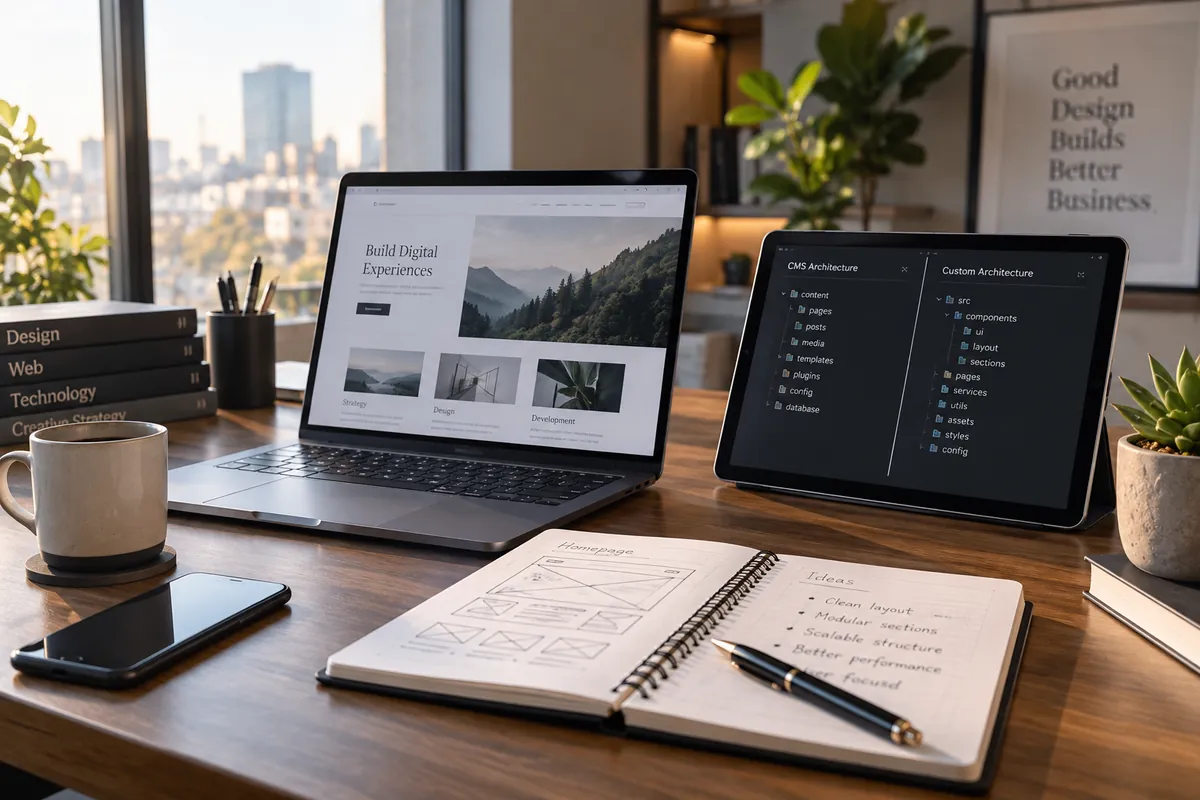
Choose WordPress when your site mainly publishes content or uses standard features and your team wants a familiar editor. Consider a custom website when unique workflows, integrations or product behavior are central to the business. Both can be fast, secure and search-friendly when implemented and maintained well; decide from requirements and total ownership effort.
Introduction
Imagine a growing company comparing a WordPress proposal with a custom build. The proposals may use different language, but the useful question is simpler: will the site mostly publish information, or must it run workflows that shape how the company sells and serves customers?
WordPress is a content management system with themes and plugins; custom development uses code and tools selected for a specific product. Neither option is automatically more professional. Compare the work each requires over the next few years, not just how the first version is assembled.
What you are comparing
A WordPress site can range from a configured theme to a bespoke theme with custom plugins. It includes an editor for managing pages and posts, while extensions add capabilities. This can make routine publishing approachable, but each chosen theme and extension becomes part of the system someone must review and update.
A custom website is not necessarily built without a content editor. Developers can connect a CMS or create an admin interface while shaping the front end and back end around the required flows. The extra freedom also creates responsibility: the business needs documentation and a team capable of maintaining its chosen stack.
When WordPress is a practical fit
WordPress often fits a company whose main need is to publish service information, articles, case studies or a straightforward catalogue. It is also useful when editors need to change content without a developer and mature plugins already meet the functional requirements.
For example, a consulting firm that posts articles, updates a few service pages and collects enquiries may not benefit from a custom application architecture. A lightweight theme, carefully chosen forms and a clear update owner can cover the job. The limitation appears when the site starts relying on a long chain of add-ons or custom exceptions that make upgrades difficult.
When custom development earns its complexity
A custom build becomes more compelling when the site behaves like a product: user accounts, pricing logic, tailored onboarding, staff dashboards or data shared with internal systems. A custom interface can make these tasks coherent instead of forcing a general-purpose plugin to match a workflow it was not designed for.
That does not mean every custom site is faster or cheaper to run. Poorly designed custom software can be hard to edit and expensive to change. Ask for a content model, technical documentation, dependency plan and named maintenance responsibility before treating customization as an advantage.
Compare the work behind performance, security and search
Search visibility does not come from the CMS label. Both options need useful content, crawlable pages, correct metadata, working links and acceptable real-user performance. Measure the actual pages and field data rather than assuming that a particular platform guarantees speed. Our website speed guide explains the Core Web Vitals metrics and how to use them.
Security also depends on how a site is configured and maintained. WordPress needs a deliberate process for core, theme and plugin updates, backups and access control. A custom site needs dependency updates, secure handling of secrets and a clear deployment process. A smaller codebase can reduce some complexity, but it does not remove the need for maintenance.
Estimate ownership effort over three years
List the content changes, campaigns, integrations and new capabilities you expect over the next few years. For each platform, ask who can make each change, how it is tested, what recurring subscriptions or hosting are needed, and what happens if the original developer is unavailable. This turns vague claims about affordability into work you can actually compare.
If most requirements map cleanly to established WordPress features, that route may keep delivery simpler. If several critical functions require bespoke code or fragile workarounds, price the custom option including its editor and support. For a wider launch checklist, see features every business website needs.
You can also compare the responsibilities expected from a website development partner before requesting proposals.
A decision method for your team
Write down must-have functions, content editor roles, integrations, expected change frequency and support ownership. Ask each developer to mark what is available out of the box, what needs configuration, and what is custom work. Then compare the effort and risks of those choices instead of comparing framework names.
Choose the option that meets today’s real needs while leaving a reasonable path for likely next steps. Avoid paying for speculative scale, but do not commit a core workflow to a platform that only supports it through brittle workarounds. The best choice is the one your organization can operate reliably.
Summary
Key Takeaways
- WordPress is a strong option for publishing and familiar site patterns.
- Custom development fits distinct workflows when the value outweighs added ownership work.
- Neither platform guarantees performance, security or search success.
- Compare the next few years of editing, integrations and support—not just the launch quote.
WordPress and custom websites compared
| Decision factor | WordPress | Custom build |
|---|---|---|
| Best fit | Content-led sites and standard functions | Distinct workflows and product behavior |
| Editing | Familiar publishing interface | CMS or admin needs to be selected or built |
| Initial setup | Can be quick with a suitable theme | Needs product-specific design and engineering |
| Extensions | Themes and plugins; review compatibility | Purpose-built features and dependencies |
| Upkeep | Updates for core, themes and plugins | Updates for code, framework and services |
Pitfalls
Common Mistakes to Avoid
- Calling WordPress insecure without reviewing the actual setup.
- Assuming a custom site automatically loads faster or ranks better.
- Choosing plugins before writing down the real requirement.
- Forgetting who will update content and software after launch.
FAQ
Frequently Asked Questions
Is WordPress bad for SEO?
No. Search performance depends on the site’s content, technical implementation and user experience. WordPress can support sound SEO, just as a custom site can be implemented poorly.
Can I move from WordPress to a custom site later?
Yes. Plan content export, URL mapping, redirects, analytics and testing before launch. Google recommends preparing and monitoring URL changes during a site move.
Can a custom site still let my team edit pages?
Yes. Include the required editor experience in the brief and decide whether a headless CMS or a custom admin suits the content and roles.
Which option is more secure?
Neither is secure by default. Compare the update process, access controls, dependencies, backups and the person accountable for responding to issues.
Wrap-up
Final Thoughts
WordPress and custom development solve different shapes of problem. Map the work your site must support, decide who will run it, and compare a realistic ownership plan for both routes. That evidence will lead to a more useful answer than treating either platform as a universal winner.
References
Sources
Let's talk
Build Your Next Digital Product
Vaqnova can review your content, integrations and future requirements and outline an appropriate WordPress or custom approach.
Talk to Our Team