SEO
AI SEO and Visibility in AI Search: How Businesses Get Found
How Google, ChatGPT, Copilot and Perplexity find sources, the crawler and rendering checks most sites miss, and how to measure what AI search sends you
Quick Answer
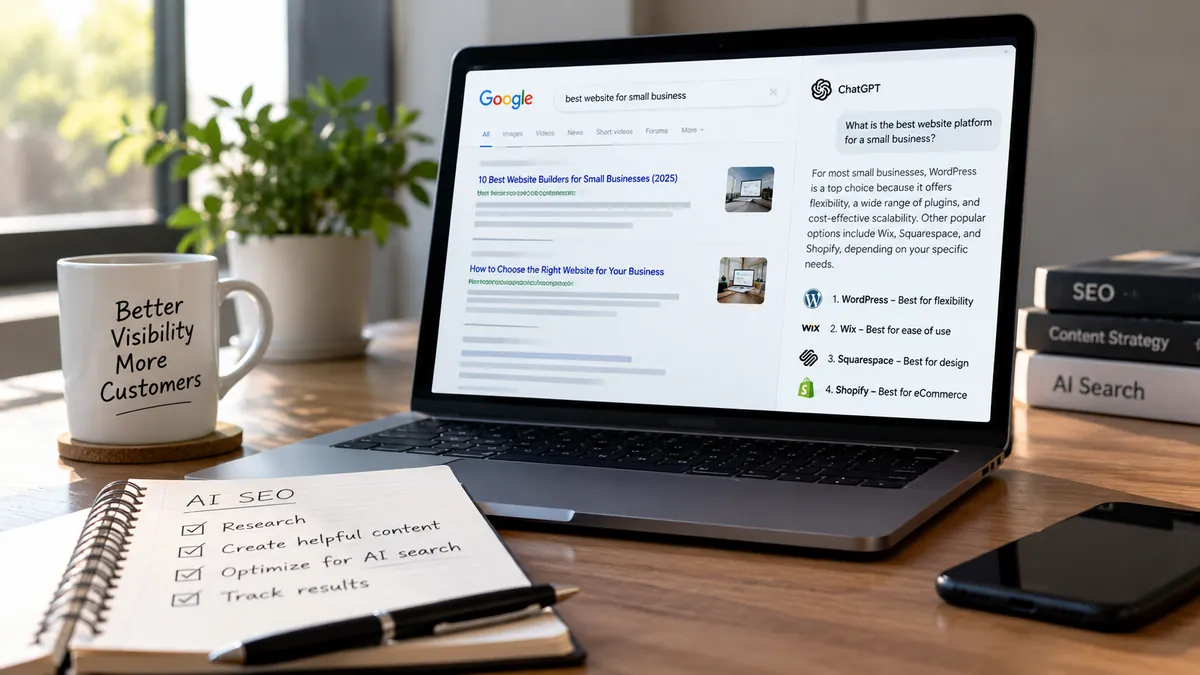
AI SEO is ordinary SEO extended to the systems that now write answers: Google AI Overviews and AI Mode, ChatGPT search, Microsoft Copilot and Perplexity. Each one retrieves live pages from a search index or its own crawler before it cites anything, so visibility starts with access. Let the right crawlers in, make sure your text is in the HTML before any JavaScript runs, answer real buyer questions with specific evidence, and describe your business the same way everywhere. Then measure with Search Console's Generative AI report, Bing's AI Performance report and AI referral traffic. Nobody can guarantee a citation.
Introduction
Here is a situation worth checking for on your own site. A company tightens its robots.txt in 2024 because it does not want its articles used to train AI models, and pastes in a popular "block all AI bots" list. Two years later, a buyer asks ChatGPT to compare providers in that company's niche. The answer cites three competitors and not them. Nothing is wrong with their content. OpenAI's search crawler was on the list, so it was told to stay out. (This is an illustrative scenario, not a client case.)
That gap between having good content and being found by AI systems is what this guide is about. It explains how the four AI search experiences most buyers use actually find sources, which technical decisions quietly remove you from them, how to write pages worth citing, and how to measure the result with the reports Google and Microsoft now provide. Platform claims link to each platform's own documentation. Where we describe how we built vaqnova.com, it is because those are things we can show you, not results we can promise.
What AI SEO means, and how it relates to SEO, AEO and GEO
AI SEO, answer engine optimisation (AEO) and generative engine optimisation (GEO) are three names for overlapping work. AEO grew out of featured snippets and voice answers: structure content so a system can lift a direct answer. GEO describes trying to be cited or recommended when a language model writes a response from several sources. AI SEO is the umbrella term most businesses use for both.
The useful part is what the search engines themselves say. Google's page on AI features and your website states that there are no additional requirements or special optimisations needed to appear in AI Overviews or AI Mode, and no special schema.org markup to add. Its guide to optimising for generative AI features, last updated in July 2026, goes further and lists things you do not need to do, including creating AI text files, splitting content into tiny chunks and writing in a special style for AI. There is no separate GEO algorithm to game. There is retrieval, and retrieval rewards the same things good SEO always did, applied more strictly.
What does change is the unit of competition. A ranking is won by a page. An AI answer is assembled from passages, often taken from several sites, so a page can rank well and still contribute nothing if none of its paragraphs answers the specific question being asked.
How AI search turns one question into many searches
Compare two searches. In classic search, someone types "cloud migration company", opens five tabs and does the comparing themselves. In an AI search tool, the same person types the whole problem: "We need to move a legacy .NET app to AWS without downtime, and we handle patient data. What approaches work, and what should we ask a partner?"
Google calls what happens next query fan-out: the system issues multiple related searches across subtopics and data sources, then uses what it finds to write a response with links. For that question the subtopics might be migration patterns, downtime strategies, health-data rules and vendor criteria. Other platforms differ in detail, but the shape is similar: retrieve fresh pages, pick passages that answer each sub-question, write an answer and attach sources.
That has three practical consequences. Your page has to be in the index or crawl the system draws on, or it cannot be retrieved at all. Each section needs to answer a recognisable question on its own, because a passage is used without the rest of the page around it. And specific, checkable detail matters more than ever, because a model already knows generic definitions and goes to the web for current facts, comparisons and evidence.
Four AI search platforms, four ways of finding your pages
Treating AI search as one channel is the most common strategic mistake. The four experiences your buyers are most likely to use draw on different indexes and crawlers, and each gives you different controls. The comparison table further down summarises them; the details below matter when you edit robots.txt.
Google AI Overviews and AI Mode
These run on Google's normal Search index, crawled by Googlebot. To be eligible, a page must be indexed and allowed to show a snippet, so nosnippet, data-nosnippet, max-snippet and noindex all limit what can appear. Search Console also has a site-level Search generative AI setting under Settings. It includes your site by default, and Google's help page says excluding a site is not used as a ranking signal elsewhere in Search.
Google-Extended is a different control. It governs whether your content is used for Gemini training and grounding outside Search, and Google states that it does not affect a site's inclusion or ranking in Google Search.
ChatGPT search
OpenAI's crawler documentation lists separate agents and says each setting is independent of the others. OAI-SearchBot surfaces websites in ChatGPT's search results, and sites that block it will not be shown in ChatGPT search answers, apart from navigational links. GPTBot collects content that may be used to train OpenAI's models, so blocking it is a training decision, not a visibility decision. ChatGPT-User fetches pages when a user asks ChatGPT to, and robots.txt rules may not apply to it.
OpenAI says robots.txt changes take about 24 hours to reach its search systems. Its launch announcement also says ChatGPT search draws on third-party search providers, so being well indexed by the major search engines helps here too.
Microsoft Copilot and Bing
Copilot and the AI summaries in Bing are grounded in Bing's index, which Bingbot crawls. That makes Bing Webmaster Tools and fast discovery more important than many teams assume: a page Bing has not crawled cannot be cited. Bing's AI Performance report, launched in public preview in February 2026, shows how often your pages are cited across Copilot, AI summaries in Bing and select partner integrations.
Perplexity
Perplexity's documentation lists two agents. PerplexityBot indexes sites so they can be surfaced and linked in Perplexity's results, and Perplexity says it is not used to crawl content for training foundation models. Perplexity-User fetches pages when a person asks a question, and because the user triggered the request, it generally ignores robots.txt.
Step 1: Decide which AI crawlers get in, on purpose
Most accidental invisibility starts here. Open yourdomain.com/robots.txt and read it as a list of business decisions. For each agent, ask two separate questions: do we want to appear in this product's answers, and do we want our content used for model training? They have separate controls.
A common, defensible setup for a business that wants to be cited but not used for training is to allow Googlebot, Bingbot, OAI-SearchBot and PerplexityBot, and to disallow GPTBot and Google-Extended. A business that wants its name known as widely as possible may allow everything. Either is a valid choice. A blanket rule copied from a forum that nobody on the team can explain is not.
robots.txt is only one gate. Firewall rules, bot management at your CDN and hosting rate limits can block crawlers that robots.txt allows, and they do it silently. Check your server or CDN logs for each user agent and look at the status codes it receives. A crawler that gets 403 responses is blocked, whatever robots.txt says.
For reference, our own robots.txt allows every agent named in this article, including the training crawlers, because for a services company being known to AI tools is worth more to us than the content we would be protecting. That is our trade-off, not a rule for every business.
- Crawlers that decide search visibility: Googlebot, Bingbot, OAI-SearchBot, PerplexityBot
- Training controls: GPTBot for OpenAI, Google-Extended for Gemini training and grounding outside Search
- User-triggered fetchers that may not follow robots.txt: ChatGPT-User, Perplexity-User
- Site-wide switch for Google's AI features: Search Console, Settings, Search generative AI
Step 2: Make sure your content exists before JavaScript runs
Googlebot renders JavaScript, and Google's AI optimisation guide confirms it can process JavaScript content as long as it is not blocked. Many other crawlers do not. When Vercel analysed AI crawler traffic across its network, it reported in December 2024 that none of the major AI crawlers it studied rendered JavaScript, naming OpenAI's crawlers, ClaudeBot and PerplexityBot among them. They downloaded JavaScript files but did not run them. Crawlers change, so treat that as a snapshot, but the safe assumption holds: if your text appears only after client-side JavaScript runs, some AI systems see an empty page.
The risk is highest for single-page applications built with React, Vue or Angular, and for page builders that inject content with scripts. The fix is server-side rendering or static generation, so the first HTML response already contains the headings, body copy, links, canonical tag and structured data.
Testing takes two minutes. Open view-source on a key page, not the browser's element inspector, and search for a sentence from the middle of the page. Or request the page from the command line with a crawler's user agent and read what comes back. If the sentence is missing, then as far as those crawlers are concerned, so is your page.
We dealt with exactly this on vaqnova.com, which is built with React. Rather than rely on any crawler running our scripts, the build prerenders every route to static HTML and stops with an error if a page renders an empty body, lacks its head tags or carries the wrong canonical URL. After a deployment, a check script requests every URL in the sitemap with the user agents of Googlebot, GPTBot, ClaudeBot and PerplexityBot and confirms each one receives the title, canonical, H1 and full text. It cannot tell us whether we will be cited. It does make sure being unreadable is never the reason. If your site is a JavaScript application, our website development team can add the same safeguards.
Step 3: Write each section so it can stand on its own
Because AI answers are assembled from passages, the most valuable editing habit is simple: under each heading, answer the question in the first two or three sentences, then add the detail, the example and the exception. A reader skimming gets the point, and a retrieval system can lift a passage that makes sense without the paragraphs around it.
Write headings that say what the section answers, in the words your buyers use. "Pricing" says less than "What a custom CRM costs and what drives the price". Use a table when readers genuinely compare options, numbered steps when order matters, and prose for reasoning, because trade-offs and conditions rarely survive being chopped into bullets.
Do not overcorrect. Google's guide says there is no need to break content into tiny pieces or to write in a special way for generative AI, and that there is no ideal page length. The aim is a page that is easy to read, not one that reads as if it were written for a parser. Our on-page SEO guide covers the rest of the page-level basics.
Start with your service pages, not your blog. When a buyer asks an AI tool which provider fits their situation, the useful facts usually live on service pages: who you serve, what an engagement looks like, timelines, integrations, how you handle security and what you do not do. Copy such as "innovative end-to-end solutions" gives a model nothing it can cite.
Step 4: Give AI systems evidence they can check
When a model writes an answer, it looks for sources that add something it cannot produce on its own: current facts, specific numbers, real comparisons, documented procedures and a clear statement of who is saying what. A page that restates common knowledge gives it no reason to cite you, however well formatted it is. Google's AI optimisation guide puts unique, useful content written from your own knowledge at the centre of its advice.
In practice that means citing primary sources for factual claims and linking to them, showing the criteria your team actually uses to make decisions, giving real ranges along with the conditions that change them, dating your content and updating it when the facts change, and naming the author. If you publish case studies, use results you can substantiate, and say plainly when an example is illustrative.
Using AI tools to help write is not the problem. Google's guidance on generative AI content judges content on quality rather than how it was produced, but its scaled content abuse policy covers pages generated in bulk mainly to manipulate rankings, with little value for readers. Publishing hundreds of lightly edited AI articles to cover more queries is a quick way to make a site less trustworthy to people and search systems alike.
Step 5: Make it obvious who you are, on your site and off it
AI systems need to work out which company a page is about and whether other sources agree. Your homepage and About page should say plainly what you do, for whom and where, in the same terms you use on your profiles elsewhere. Keep your name, address, phone number and services consistent across your website, LinkedIn, Google Business Profile, Bing Places, industry directories and partner listings. Google's guide names Google Business Profile, and Merchant Center for products, as ways to appear in AI responses, so local businesses should treat them as part of this work. Our local SEO guide covers that setup.
Structured data helps machines read these facts, but keep expectations accurate. Google says no special schema.org markup is needed for its AI features, and structured data never guarantees inclusion. It is still worth adding Organization markup with sameAs links to your official profiles, Service or Product markup on offering pages and BlogPosting with a named author on articles, as long as the markup matches what is visible on the page.
Mentions elsewhere matter because an AI answer often reflects what several sources say about you. Earn them the slow way: useful articles, client work that clients and partners are willing to reference, talks, open-source contributions and accurate directory listings. Google's guide warns that seeking inauthentic mentions across the web is not as helpful as it might seem, and planted reviews or forum posts are easy for people and spam systems to spot.
Step 6: Help search engines find your changes quickly
AI answers lean on fresh retrieval, so slow discovery costs you. Keep an XML sitemap that lists only canonical, indexable URLs with honest last-modified dates, and reference it in robots.txt. Submit it in Google Search Console and Bing Webmaster Tools. Use IndexNow to notify Bing and other participating search engines when you publish or update a page; vaqnova.com submits its sitemap through IndexNow after each deployment.
Keep the basics in order while you are there: self-referencing canonicals, no redirect chains, fast responses and no important pages left on noindex. The technical SEO checklist walks through each item, and if your pages are indexed but still invisible, why your website isn't ranking on Google covers the usual causes. For a Google-only view of the same topic, see how to optimise your website for Google AI search.
How to measure AI search visibility without guessing
Until recently, measuring AI search meant inference. That improved in 2026, but no single report covers every platform, so combine the direct measurements with directional checks and label each one honestly.
What the platforms now report
Google Search Console has a Generative AI performance report covering AI Overviews and AI Mode, which Google says reached all websites worldwide as of 31 August 2026. It shows impressions, meaning how often links to your site appeared in a generative AI feature, grouped by page, country, date and device. It does not show clicks or queries, and it may not appear if your site has had too few impressions. The same data is also counted in the regular Performance report under the Web search type.
Bing Webmaster Tools' AI Performance report counts citations rather than clicks: total citations, the average number of your pages cited per day, a sample of the grounding queries the AI used to retrieve your content, and citations per URL, across Copilot, AI summaries in Bing and select partners.
What your analytics and logs can show
OpenAI's publishers and developers FAQ says ChatGPT adds utm_source=chatgpt.com to referral links, so you can separate those visits in GA4 or any analytics tool, provided OAI-SearchBot can crawl your site. Visits from perplexity.ai, copilot.microsoft.com and gemini.google.com usually arrive as referrals you can group into an AI channel. Some clicks from apps arrive without a referrer and look like direct traffic, so treat these numbers as a minimum.
Server or CDN logs show which crawlers visit, which pages they request and which status codes they get back. That is the fastest way to catch a firewall that is turning away OAI-SearchBot or PerplexityBot.
What only your own checks can show
Some influence leaves no click: a buyer reads your name in an answer and types your address later. Add a short open question such as "How did you first hear about us?" to your enquiry form and read the answers.
Keep a fixed list of 15 to 25 realistic, unbranded buyer questions and run them monthly in Google, ChatGPT, Copilot and Perplexity, recording whether you are cited, which URL is used and whether your services are described accurately. Answers vary by user, location and time, so read the result as a trend, not a rank. Google's guide also notes that no third-party tool has access to its internal ranking or AI systems, which is worth remembering when a vendor's dashboard claims more precision than that.
A 30-day plan to improve AI search visibility
You do not need to rebuild your site. Work in this order: the first week removes the reasons you could be invisible, and the weeks after improve the reasons you would be chosen.
- Week 1: review robots.txt, firewall and CDN bot rules; confirm Googlebot, Bingbot, OAI-SearchBot and PerplexityBot get 200 responses on key pages; decide your training policy for GPTBot and Google-Extended
- Week 1: view source on your 10 most important pages and confirm the main text, headings, links and canonical tag are in the initial HTML
- Week 1: verify the site in Google Search Console and Bing Webmaster Tools, submit the sitemap and check the Search generative AI setting
- Week 2: rewrite 3 to 5 priority service pages so they answer the questions buyers ask before they buy, with a direct answer under each heading
- Week 2: add or fix Organization, Service and BreadcrumbList structured data that matches the visible content
- Week 3: update your best-performing articles with a direct answer in the opening, sources, dates, a named author and specific examples, and link them to the relevant service pages
- Week 3: set up IndexNow so updates reach Bing quickly
- Week 4: create an AI referral channel in analytics, add the "How did you hear about us?" question to your enquiry form and record a baseline from both platform reports
- Week 4: align your descriptions on Google Business Profile, Bing Places, LinkedIn and key directories, then run your first monthly prompt check
Summary
Key Takeaways
- AI search is retrieval built on search indexes and crawlers: if a system cannot crawl and read your page, it cannot cite it.
- Search visibility and model training are separate decisions; blocking GPTBot or Google-Extended does not remove you from ChatGPT search or Google Search.
- Put your text in the initial HTML, because many AI crawlers do not run JavaScript.
- Answer specific questions under clear headings with evidence a model cannot invent, starting with your service pages.
- Measure with Search Console's Generative AI report, Bing's AI Performance report, tagged referrals and your own enquiry data, and distrust anyone who guarantees citations.
How AI search platforms find and cite websites
| Factor | Google AI Overviews and AI Mode | ChatGPT search | Microsoft Copilot | Perplexity |
|---|---|---|---|---|
| Where answers come from | Google Search index | OAI-SearchBot crawling plus third-party search providers | Bing index | Perplexity's own index plus live fetches |
| Crawler to allow for visibility | Googlebot | OAI-SearchBot | Bingbot | PerplexityBot |
| Training control | Google-Extended (no effect on Search) | GPTBot (no effect on search answers) | Not covered in this guide | PerplexityBot is not used for training |
| Where to measure | Search Console Generative AI report (impressions) | Referrals tagged utm_source=chatgpt.com | Bing AI Performance report (citations) | Referrals from perplexity.ai |
| Worth knowing | Snippet controls and a site-wide Search generative AI setting apply | robots.txt changes take about 24 hours | Use Bing Webmaster Tools and IndexNow | Perplexity-User generally ignores robots.txt |
Pitfalls
Common Mistakes to Avoid
- Pasting a "block all AI bots" list into robots.txt and blocking OAI-SearchBot or PerplexityBot along with the training crawlers.
- Allowing crawlers in robots.txt while the firewall or CDN answers them with 403 errors.
- Shipping a client-rendered site whose initial HTML contains no body text.
- Mass-publishing AI-written articles to cover more questions.
- Adding FAQ or other schema that describes content not visible on the page.
- Buying mentions, reviews or forum posts to appear in AI answers.
- Paying for an "AI SEO" package or llms.txt file sold with guaranteed citations.
FAQ
Frequently Asked Questions
Do I need a separate strategy for ChatGPT, Perplexity and Google?
You need one content strategy and a few platform-specific technical checks. The content that earns citations is the same everywhere: specific, sourced and clearly structured. What differs is access. Each platform uses its own crawler or index, so confirm that Googlebot, Bingbot, OAI-SearchBot and PerplexityBot can all reach your pages, and verify your site in both Google Search Console and Bing Webmaster Tools.
If I block GPTBot, will my site disappear from ChatGPT?
No. OpenAI states that its crawler settings are independent. GPTBot controls whether content may be used to train its models; OAI-SearchBot controls whether your site can appear in ChatGPT search answers. Block GPTBot and allow OAI-SearchBot if you want to be cited but not used for training.
Should we add an llms.txt file?
It will not help in Google. Google's AI optimisation guide says you do not need AI text files to appear in Google Search and that Google Search ignores them. Some other tools may read one, and it costs little if your build generates it automatically, which is how we publish ours. It should never come before crawl access, rendering and content quality.
Does AI-written content hurt visibility in AI search?
Not because of how it was written. Google evaluates content on quality and helpfulness, not on the production method. What hurts is scale without value: many pages generated mainly to target queries, with no original information or human review, which Google's spam policies treat as scaled content abuse.
How long does it take for changes to show up in AI answers?
It depends on when each system recrawls the page. OpenAI says robots.txt changes take about 24 hours to reach its search systems; other changes depend on crawl and indexing schedules that nobody fully controls. Submitting updated URLs through Search Console and IndexNow speeds up discovery, but judge results over months, not days.
Can an agency guarantee that we appear in AI Overviews or ChatGPT?
No. AI answers vary by user, location and time, and the platforms do not sell or promise placement. Google notes that no third-party tool has access to its internal ranking or AI systems. A credible partner commits to work you can verify, such as crawl access, rendering, content and measurement, not to citations.
Wrap-up
Final Thoughts
Go back to the company in the opening. Its content was never the problem; one robots.txt decision was. That is the pattern behind most AI search visibility problems. It is rarely a missing trick. It is a missing basic: a blocked crawler, an empty HTML shell, a service page that never says what the company actually does, or a claim with nothing behind it.
Fix access first, then make your pages worth quoting, then measure with the reports that now exist. If one of the four platforms checked your most important service page today, could it read it?
References
Sources
- Google Search Central: AI features and your website
- Google Search Central: Optimizing your website for generative AI features on Google Search
- Search Console Help: Generative AI performance report
- Search Console Help: Search generative AI control
- Google Search Central: Google's common crawlers (Google-Extended)
- Google Search Central: Guidance on using generative AI content
- Google Search Central: Spam policies (scaled content abuse)
- OpenAI: Overview of OpenAI crawlers
- OpenAI Help: Publishers and developers FAQ
- Perplexity: Perplexity crawlers
- Bing Webmaster Blog: Introducing AI Performance in Bing Webmaster Tools (February 2026)
- Vercel: The rise of the AI crawler (December 2024)
- IndexNow
Let's talk
Build Your Next Digital Product
Vaqnova builds fast, server-rendered websites and runs SEO audits that check what Googlebot, OAI-SearchBot and PerplexityBot actually receive from your pages. If you want to know whether AI search can read your site, our website development team can review it.
Talk to Our Team