SEO
Technical SEO Checklist for Business Websites
Quick Answer
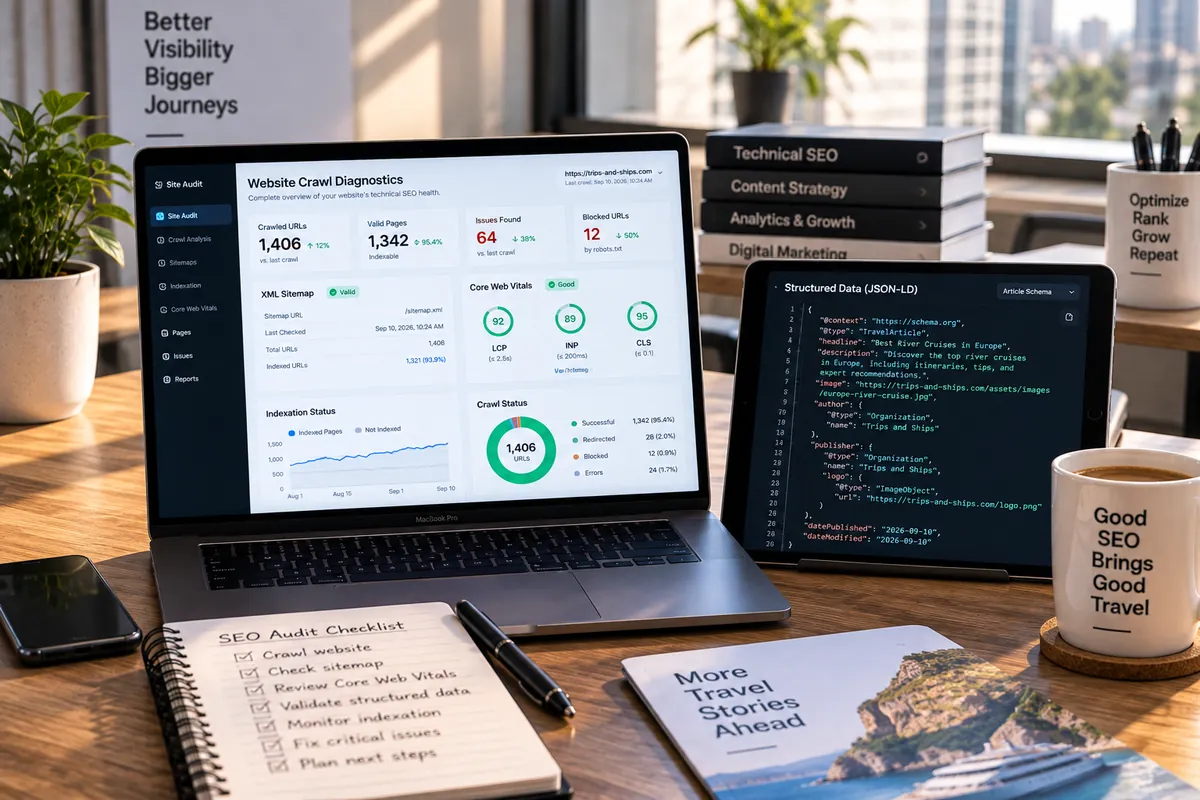
Technical SEO makes sure search engines can crawl, render, understand and index your pages. Check that important pages return 200, are not blocked by robots.txt or noindex, have self-referencing canonicals, appear in an accurate XML sitemap, render their content in the HTML, load fast on mobile and carry valid structured data.
Introduction
Great content cannot rank if Google cannot find, render or trust the page. Technical SEO is the foundation that lets content and links do their job.
Use this checklist to audit a business website. Each item includes what to check and why it matters.
Crawlability
Make sure search engines can reach your pages:
- robots.txt allows important sections and links to your sitemap.
- Important pages are linked from navigation or other pages, not orphaned.
- Internal links use normal anchor tags with real URLs, not JavaScript-only clicks.
- Redirect chains are short, and there are no redirect loops.
- Server errors (5xx) and broken links (404) are fixed or redirected.
Indexing signals
Tell search engines which pages to index and which version is the main one:
- Every indexable page has a self-referencing canonical tag.
- No important page carries a noindex tag by mistake.
- Duplicate URLs, such as with and without www or trailing slashes, redirect to one version.
- The XML sitemap lists only canonical, indexable URLs with accurate lastmod dates.
- Google Search Console's page indexing report is reviewed for excluded pages.
Rendering
If your site is built with a JavaScript framework, check what crawlers receive before JavaScript runs. Important content, headings, links and meta tags should be present in the initial HTML through server-side rendering or prerendering. Many AI crawlers do not execute JavaScript at all.
Page experience
Check Core Web Vitals in Search Console: Largest Contentful Paint under 2.5 seconds, Interaction to Next Paint under 200 milliseconds and Cumulative Layout Shift under 0.1. Confirm the site is mobile-friendly and served over HTTPS without mixed content.
Structured data and metadata
Add schema markup that matches visible content: Organization or LocalBusiness, Service, BlogPosting, Product, FAQPage where appropriate, and BreadcrumbList. Validate it with Google's Rich Results Test. Give every page a unique title and meta description and one clear H1.
Run technical checks in the order a page must succeed
Start with a URL a customer needs to find. Confirm that it returns a successful response, is publicly crawlable, has indexable content and points to the intended canonical. Then inspect rendering, mobile experience, internal links and structured data. This order helps separate a page that cannot enter the index from one that is indexed but needs stronger content or relevance.
Use Search Console reports and URL Inspection to investigate examples, then verify fixes on the live URL. Keep a change log with affected templates and dates so a crawl or indexing shift can be tied to site work. Continue with on-page SEO checks, ranking diagnosis and Vaqnova’s SEO service.
Do not submit every fix as a guarantee of indexing or rankings. Search systems decide what to crawl and show. Prioritize errors affecting important pages, resolve the underlying template issue and monitor a representative sample after deployment.
Summary
Key Takeaways
- Crawlability, indexing signals and rendering decide whether pages can rank at all.
- Canonicals, sitemaps and redirects must all point to the same preferred URLs.
- JavaScript sites should deliver content in the initial HTML.
- Core Web Vitals and structured data strengthen pages that are already indexable.
Pitfalls
Common Mistakes to Avoid
- A canonical tag on every page pointing to the home page.
- Sitemaps listing redirected, noindexed or deleted URLs.
- Content that only appears after JavaScript runs.
- Staging sites accidentally left open to search engines.
FAQ
Frequently Asked Questions
How often should I run a technical SEO audit?
Do a full audit at least twice a year and after any redesign or platform change. Check Search Console reports monthly.
What does 'Discovered – currently not indexed' mean?
Google knows the URL but has not crawled it yet, often because the site has low authority, crawl signals are weak or pages look low value. Improving content quality, internal links and rendering usually helps.
Do I need an XML sitemap?
Yes for most business sites. It helps search engines discover pages and understand when they change, especially new or deep pages.
Does structured data improve rankings?
Not directly, but it helps search engines understand your content and can enable rich results, which may improve click-through rates.
Wrap-up
Final Thoughts
Technical SEO is not glamorous, but it decides whether your other SEO work counts. Fix crawling, indexing and rendering first, then improve speed and structured data, and keep monitoring Search Console.
References
Sources
Let's talk
Build Your Next Digital Product
Vaqnova runs technical SEO audits and fixes the issues in code, from rendering and canonicals to Core Web Vitals and schema.
Talk to Our Team