Fylo
Free Online File Converter That Runs in Your Browser
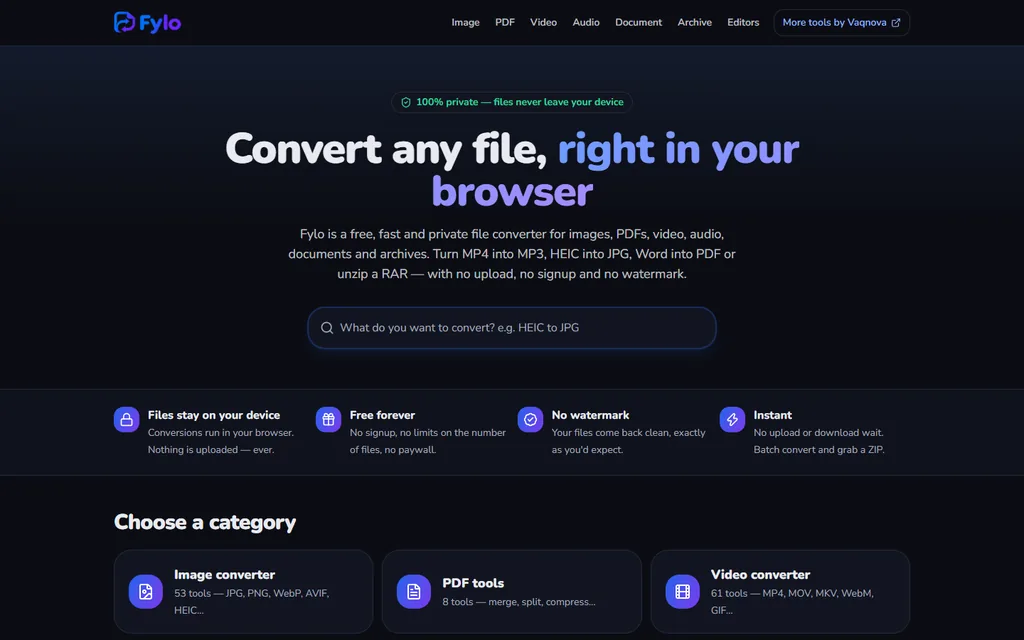
A free, private file converter for images, PDFs, video, audio, documents and archives. Conversions run inside your browser, so files never leave your device. No upload, no signup and no watermark.
- Price
- Free
- Account
- Not needed
- Your files
- Stay on your device
- Tools
- 230+ converters
Overview
What is Fylo?
Fylo is a free online file converter built by Vaqnova. Most converters upload your file to a server, convert it there and make you download the result. Fylo does the work inside your browser using Web Workers and WebAssembly, with FFmpeg handling audio and video, so photos, scans and documents never leave your phone or computer. Once the page has loaded it keeps working even on a slow connection.
It covers six kinds of file: images (JPG, PNG, WebP, AVIF, HEIC, GIF, BMP, ICO and SVG), PDFs, video (MP4, MOV, MKV, WebM and GIF), audio (MP3, WAV, M4A, FLAC and more), documents (Word, Excel, CSV and Markdown) and archives (ZIP, RAR, 7Z and TAR.GZ). Popular tools include HEIC to JPG, MP4 to MP3, Word to PDF, merge PDF and extract RAR, across more than 230 converters and tools.
When you need to change a file rather than convert it, Fylo includes four editors that also run in the browser: an image editor for cropping, filters, text, stickers, blur and watermarks; a video editor for trimming, merging, cropping to 9:16, speed, text and music; a PDF editor for signing, filling forms, adding text, highlighting and reordering pages; and a document editor for Word, TXT and Markdown.
Every tool is free with no signup, no limit on the number of files and no watermark on the result. You can convert several files at once and download them together as a ZIP. Fylo is supported by ads, and you can reject ad cookies from its consent banner without losing any features.
In the browser
See it in action


Features
Everything Fylo does
- 01
Image Converter
Convert between JPG, PNG, WebP, AVIF, GIF, BMP and ICO, turn iPhone HEIC photos into JPG, and compress, resize or strip EXIF data from images.
HEIC to JPGWebP and AVIFCompress and resize - 02
PDF Tools
Merge, split and compress PDFs, turn images into a PDF or export PDF pages as JPG, all without sending the document anywhere.
Merge and splitCompress PDFJPG to PDF - 03
Video Converter
Convert MOV, MKV and WebM to MP4, make GIFs and compress large videos. FFmpeg runs inside the browser, so even big files are not uploaded.
MOV and MKV to MP4Compress videoVideo to GIF - 04
Audio Converter
Extract MP3 from MP4, convert WAV, M4A and FLAC, choose the bitrate and make ringtones from any song.
MP4 to MP3Bitrate controlRingtone maker - 05
Documents and Archives
Turn Word files into PDF, Excel sheets into CSV and Markdown into documents, or open and create ZIP, RAR, 7Z and TAR.GZ archives.
Word to PDFXLSX to CSVExtract RAR - 06
Browser Editors
Edit instead of convert: crop and annotate images, trim and merge videos, sign and fill PDFs, and edit Word, TXT or Markdown documents.
Sign PDFTrim and crop videoImage editor - 07
Private by Design
Conversions run on your device with Web Workers and WebAssembly. There is no upload step, so nothing waits on a server and no copy of your file is left behind.
No uploadWorks on slow connectionsPhone or computer - 08
Batch Conversion
Add many files at once, convert them together and download the results as a single ZIP, with no limit on the number of files.
Many files at onceDownload as ZIPNo file limit - 09
Free, No Signup
Every converter and editor is free to use without an account, and results come back clean with no watermark.
No accountNo watermarkAd-supported
Who it is for
Built for people who
- iPhone users who need HEIC photos as JPG for forms and websites
- Students and office teams merging, splitting or compressing PDFs
- Creators pulling audio from video or cutting clips to 9:16
- Anyone converting private documents who does not want to upload them
Under the hood
Built with
FAQ
Questions, answered
Is Fylo really free?
Yes. Every converter and editor is free with no signup, no limit on the number of files and no watermark. Fylo is supported by ads, and you can reject ad cookies without losing any features.
Are my files uploaded to a server?
No. Fylo converts files inside your browser using Web Workers and WebAssembly, so your files stay on your phone or computer.
Which formats does Fylo support?
Images such as JPG, PNG, WebP, AVIF and HEIC; PDFs; video such as MP4, MOV, MKV and WebM; audio such as MP3, WAV, M4A and FLAC; Word, Excel, CSV and Markdown documents; and ZIP, RAR, 7Z and TAR.GZ archives.
How do I convert HEIC photos to JPG?
Open Fylo's HEIC to JPG tool, drop your iPhone photos in and download the JPG files. The conversion happens on your device.
Can I convert many files at once?
Yes. Add several files, convert them together and download the results as one ZIP.
Does Fylo work on a phone?
Yes. Fylo runs in mobile and desktop browsers, and because the work happens on the device it keeps working on a slow connection once the page has loaded.
Can I edit a PDF or video, not just convert it?
Yes. Fylo includes browser editors for PDFs (sign, fill forms, add text, reorder pages), video (trim, merge, crop to 9:16), images and documents.
Who makes Fylo?
Fylo is built by Vaqnova, a software company based in Rajkot, Gujarat, India.
Explore
More from Vaqnova
Other products
Related services
Have a product idea like Fylo?
We design, build and launch custom software, mobile apps and SaaS products for teams in India and worldwide.