Cloud
Cloud Security Platform Buyer’s Guide for Mid-Market and Enterprise Teams
What 250–1,000 and 1,000–10,000+ employee organisations need from CNAPP, CSPM, CWPP, CIEM and DSPM, how to score vendors, what native and third-party pricing looks like, and a 90-day rollout plan
Quick Answer
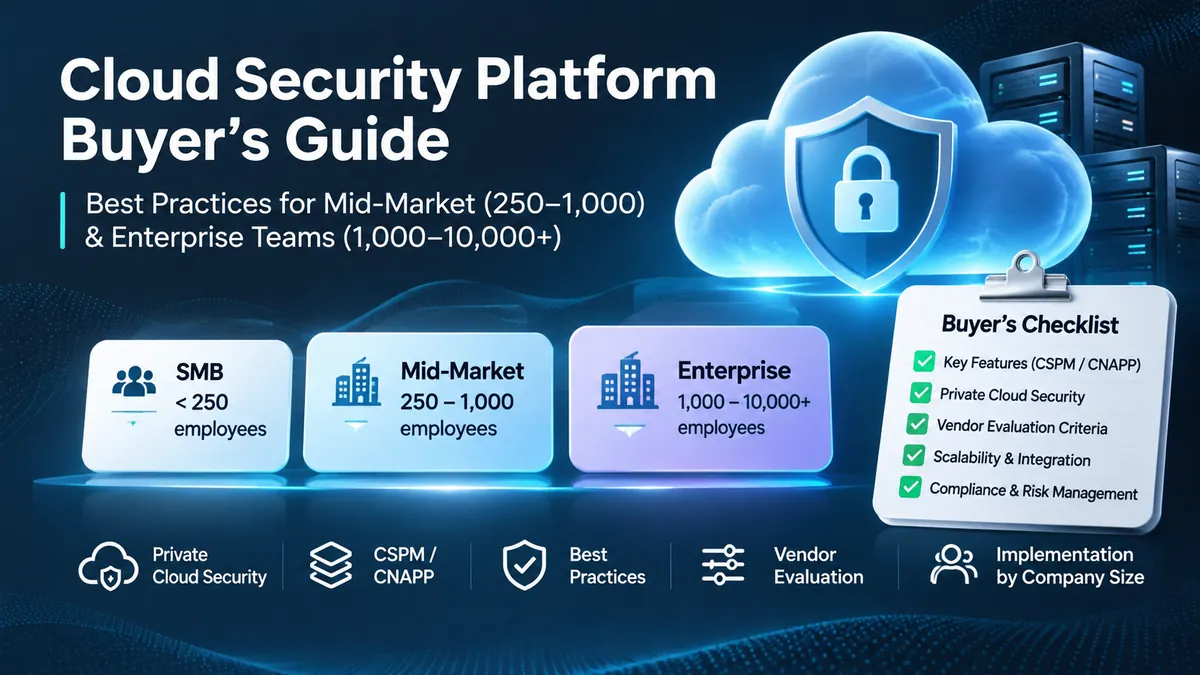
Choose a cloud security platform by matching it to your cloud footprint and security headcount, not the longest feature list. Mid-market teams (250–1,000 employees) usually get the most from an agentless-first CNAPP that combines posture, vulnerability, identity and compliance findings into a short list of real attack paths. Enterprises (1,000–10,000+ employees) also need runtime sensors on production workloads, cross-cloud identity governance, private cloud coverage, policy-as-code in CI/CD and role-based views for many teams. Prove the choice with a 14–30 day proof of value against your own accounts.
Introduction
A 600-person software company runs most of its product on AWS, has a growing Azure footprint from an acquisition and a few Kubernetes clusters nobody fully owns. Its three-person security team uses the native consoles of both clouds, a separate container scanner and a spreadsheet of IAM exceptions. Each tool reports thousands of findings, auditors want evidence for SOC 2 and ISO 27001, and nobody can answer the question that matters: which of these issues could actually let an attacker reach customer data?
That is the problem cloud security platforms are sold to solve, and the market is full of overlapping acronyms. This guide explains what CNAPP, CSPM, CWPP, CIEM and DSPM each do, what changes between 250–1,000 and 1,000–10,000+ employees, how to score vendors in a proof of value, how native and third-party pricing differ, and how to roll a platform out in 90 days. If you are still putting baseline controls such as MFA, least privilege and backups in place, start with our cloud security best practices every business should follow; this guide assumes those basics and focuses on choosing tooling.
What a cloud security platform does
A cloud security platform continuously discovers your cloud assets, checks their configuration, maps who and what can access them, scans running workloads for vulnerabilities and threats, and finds where sensitive data lives, across public, private and hybrid environments. Most products in this category are now sold as a CNAPP, a cloud-native application protection platform that combines several older tool types in one console and one data model.
The value is correlation. A standalone scanner flags every unpatched package equally. A good platform recognises a toxic combination: a container with a remotely exploitable vulnerability, exposed to the internet, running under a service account that can read a production database holding personal data. Four mediocre findings become one critical attack path, and a lean team knows what to fix first.
The pressure to get this right is rising. IBM’s 2026 Cost of a Data Breach report puts the global average breach at $4.99 million, and $11.5 million in the United States. CrowdStrike’s 2026 Global Threat Report found that average eCrime breakout time, from initial access to lateral movement, fell to 29 minutes in 2025, with the fastest observed at 27 seconds. Tools that report once a day cannot keep up with that on their own.
Why cloud security needs change with company size
Headcount is a proxy, not a rule. A 150-person fintech running regulated payments across several Kubernetes regions can need enterprise-grade controls, while a 2,500-person manufacturer on a single cloud may not. Still, growth reliably changes seven things, and the segment comparison table below summarises them:
- Architecture: smaller companies usually live in one cloud; larger ones inherit several clouds and private infrastructure through acquisitions and autonomous business units.
- Staffing: under 250 employees, security is often a part-time duty for DevOps or IT. Mid-market firms typically have a small security team that false positives can overwhelm. Enterprises run separate SOC, IAM and cloud platform teams.
- Governance: once dozens of developers ship infrastructure changes daily, manual review stops working and rules must move into code and pull requests.
- Compliance: early companies chase SOC 2. Larger ones must show continuous compliance across overlapping frameworks such as ISO 27001, PCI DSS, HIPAA, NIS2 or DORA.
- Integrations: mid-market teams need Jira, Slack, GitHub or GitLab and one SIEM. Enterprises need ServiceNow CMDB sync, SOAR playbooks and custom webhooks.
- Scale: across thousands of accounts and short-lived containers, poorly designed tools hit cloud API rate limits or create large log ingestion bills.
- Budget: small teams prefer pay-as-you-go native tools; larger buyers negotiate multi-year contracts priced on protected workloads.
Cloud security platform features for 250–1,000 employees
Mid-market companies face the same attackers as enterprises with a fraction of the people. The right platform maximises risk reduced per engineering hour. Prioritise five capabilities:
- Agentless onboarding: connect AWS Organizations, Azure management groups and Google Cloud folders through read-only roles in hours, and scan disk snapshots for vulnerabilities, malware and secrets without installing agents on every host.
- Attack-path prioritisation: correlate vulnerabilities with internet exposure, identity permissions and data sensitivity, so the team works through a short list of exploitable paths instead of a backlog of thousands of findings.
- Secrets detection: find API keys, tokens and passwords in repositories, container images, environment variables and machine images, because leaked credentials remain one of the fastest ways into a cloud account.
- Developer guardrails: comment on pull requests when Terraform, CloudFormation or Helm changes introduce a misconfiguration, with the fix shown in the same place.
- Compliance reporting: map findings to SOC 2, ISO 27001, CIS Benchmarks and, where relevant, HIPAA or PCI DSS, and export evidence auditors will accept.
When companies with 1,000–10,000+ employees need advanced cloud security
Native consoles and agentless posture tools usually stop being enough when one or more of these triggers appear: a second or third cloud carries production workloads, Kubernetes moves from experiment to core platform, auditors expect continuous evidence across several frameworks, private data centres must be covered alongside public cloud, or teams start deploying their own AI models and services. At that point, enterprise platforms need to add:
- Runtime protection: agentless scans run on a schedule, often hours apart. Lightweight runtime sensors, typically eBPF-based on Linux and Kubernetes, detect reverse shells, cryptominers, credential dumping and unexpected processes as they happen.
- Cross-cloud identity governance (CIEM): calculate effective permissions across AWS IAM, Microsoft Entra ID, Google Cloud IAM and Kubernetes RBAC, flag unused and excessive rights, and generate least-privilege policies, with particular attention to service accounts and CI/CD tokens.
- AI workload visibility: inventory managed AI services such as Amazon Bedrock, Azure OpenAI and Vertex AI, self-hosted models, training data stores and the identities that reach them.
- Multi-team access control: segment findings by business unit, account and tag so each application team sees only its own risk and owns its own fixes.
- Private and hybrid parity: the same policies and attack-path graph for VMware, OpenStack, OpenShift or bare-metal Kubernetes as for AWS, Azure and Google Cloud.
CNAPP vs CSPM vs CWPP vs CIEM vs DSPM
CSPM, CWPP, CIEM and DSPM each secure one layer: configuration, workloads, identities and data. CNAPP is the platform category that combines them and correlates their findings. Knowing the boundaries stops you paying twice for overlapping modules. The acronym table below compares the question each one answers, what it does and who usually owns it.
Identity and data deserve particular attention. A configuration alert about an open security group means little until you know which identity can reach which data behind it. Without CIEM and DSPM, a posture tool tells you something is misconfigured but not whether it matters.
Agentless scanning or runtime agents?
For most production environments, the answer is both. Agentless snapshot and API scanning gives fast, low-friction coverage of every account, including assets nobody knew existed. Runtime sensors give real-time detection and response on the workloads that matter most, at the cost of deployment work and some CPU and memory overhead. A common pattern is agentless everywhere, plus sensors on internet-facing and regulated production clusters.
Private cloud security best practices for hybrid environments
In public cloud, the provider secures the physical data centre and hypervisor. In a private cloud built on VMware, OpenStack, Nutanix or bare-metal Kubernetes, your organisation owns the entire stack, from hardware and firmware to applications. Guidance such as NIST SP 800-190 for containers and NIST SP 800-207 for zero trust applies directly. Six practices cover most of the gap:
- Isolate the management plane: never expose vCenter, OpenStack APIs or Kubernetes API servers to the general corporate network. Use a separate management network, hardened jump hosts, phishing-resistant MFA and no standing administrator access.
- Segment east-west traffic: perimeter firewalls do not stop lateral movement across flat VLANs. Use hypervisor-level distributed firewalls or Kubernetes network policies, for example with Cilium, so workloads only talk over approved ports and identities.
- Harden container platforms: use admission controllers such as OPA Gatekeeper or Kyverno to block privileged containers and risky host mounts, require read-only root filesystems where possible and verify image signatures before scheduling.
- Protect keys and boot integrity: enable Secure Boot and virtual TPMs on hosts, and keep encryption keys in an HSM or dedicated key management service, never on the same storage that holds the encrypted data.
- Use one view for hybrid risk: choose a platform with connectors and runtime sensors for private infrastructure, so analysts see private VMs and clusters in the same attack-path graph as AWS, Azure and Google Cloud assets.
- Patch by replacement: build hardened golden images and container base images in CI/CD, scan them before release, and redeploy instead of patching long-lived servers by hand.
How to evaluate cloud security vendors
Analyst quadrants and demos are a starting point, not evidence. Several platforms were assembled from acquisitions and still run separate agents, consoles and policy engines behind one login. The only reliable test is a 14 to 30 day proof of value in an environment that looks like yours, scored on a weighted 100-point rubric like the vendor scoring table below.
How to run a proof of value
Connect a representative set of real accounts, not a vendor’s demo tenant, and seed known issues: a public storage bucket with test personal data, an over-privileged service account, a container image with a known exploited vulnerability, a hard-coded key in a repository and an identical misconfiguration in each cloud you use. Then measure what each vendor finds, how it ranks those findings and how long your team takes to act on them.
Questions to ask every shortlisted vendor
Use these questions alongside the scoring rubric:
- Do posture, workload, identity and data findings share one data model and one attack-path graph?
- How many agents or sensors are needed for full coverage, and what is their measured CPU and memory overhead?
- Which clouds, Kubernetes distributions and private platforms are supported at feature parity, and which are on a roadmap?
- How is a billable workload defined for VMs, containers, serverless functions and data stores, and what happens during autoscaling spikes?
- Can a runtime finding be traced back to the image, Dockerfile line, repository and owning team?
- Which SOC 2 and ISO 27001 attestations does the vendor hold, and what access does its own staff have to our cloud metadata?
Cloud compliance and risk management in 2026
Auditors increasingly expect continuous evidence instead of point-in-time screenshots, and a cloud security platform is often where that evidence comes from. Three frameworks shape what to look for:
- CSA Cloud Controls Matrix: version 4.1 contains 207 control objectives across 17 domains, with a 283-question CAIQ questionnaire. It separates provider-owned and customer-owned controls, a reminder that your provider’s certifications do not make your IAM roles or storage buckets compliant.
- NIST SP 800-53: controls such as account management (AC-2), least privilege (AC-6), configuration settings (CM-6), component inventory (CM-8) and continuous monitoring (CA-7) map directly to platform features. Keep history that shows drift was detected, ticketed and fixed within your target time.
- NIS2 and DORA: European rules tighten incident reporting and third-party risk management. A complete, current asset inventory and software bill of materials let you answer within hours whether a newly disclosed vulnerability affects you. ENISA’s 2026 threat landscape found that, where an intrusion vector could be identified in unauthorised-access incidents, about 60% involved exploiting a vulnerability.
Cloud security platform pricing: native tools vs third-party CNAPPs
Pricing follows two models. Cloud providers mostly bill native tools on consumption: resources, servers, events or log volume. Third-party CNAPP vendors mostly sell annual subscriptions priced per billable workload, where one VM may count the same as several containers, dozens of serverless functions or a set number of data stores. Check the current pricing pages and calculators before budgeting, because rates change and differ by region.
- Microsoft Defender for Cloud: foundational CSPM is free; Defender CSPM, which adds attack paths, CIEM and DevOps security, is billed per billable resource per month; Defender for Servers Plan 1 and Plan 2 and Defender for Containers are billed per server or per vCore.
- AWS: GuardDuty bills on analysed events and log volume after a 30-day trial, and Security Hub bills on security checks and finding ingestion, with a free allowance.
- Google Cloud Security Command Center: the Standard tier is free; Premium is available pay-as-you-go or as a subscription with a minimum annual fee of $15,000.
Count the operating cost, not just the licence
Native tools are inexpensive to start and integrate well within their own cloud, but advanced features add up and coverage of other clouds and private infrastructure is usually thinner. If staying native means hiring another engineer just to correlate alerts across AWS, Azure and Kubernetes, that salary can exceed the difference in licence cost. Model three scenarios: native only, native plus a third-party CNAPP for correlation, and a CNAPP as the primary platform. Include the engineering hours each one needs.
A 90-day cloud security platform rollout
A phased rollout delivers visibility quickly without blocking engineers before rules are tuned.
Days 1–15: discover and baseline
- Connect cloud organisations through read-only roles and build a full inventory of compute, storage, databases, APIs and AI services.
- Enable CIS Benchmarks and your primary frameworks in audit-only mode, without automatic tickets.
Days 16–30: fix the critical paths
- Remove public access to sensitive data stores, patch internet-facing hosts with known exploited vulnerabilities and rotate unused or root access keys.
- Connect your identity provider and map high-risk service accounts and roles.
Days 31–60: runtime protection and routing
- Deploy runtime sensors to non-production clusters first, measure overhead and learn normal behaviour, then extend them to production.
- Route findings into Jira, ServiceNow or Slack by resource tag so they reach the owning team, not a shared queue.
Days 61–90: shift left and govern
- Add infrastructure-as-code and image scanning to CI/CD in advisory mode for two weeks, then block only critical violations.
- Start a monthly review of mean time to remediate, open attack paths and permissions removed.
Summary
Key Takeaways
- Buy for your footprint and headcount, not the longest feature checklist.
- Mid-market teams gain most from agentless coverage, attack-path prioritisation and compliance reporting.
- Enterprises also need runtime sensors, cross-cloud identity governance, private cloud parity and multi-team access control.
- CNAPP is the umbrella; CSPM, CWPP, CIEM and DSPM are the layers it should correlate in one data model.
- Prove the choice with a 14–30 day proof of value on your own accounts and seeded issues.
- Compare total operating cost, including engineering time, not only licence prices.
Cloud security needs: SMB vs mid-market vs enterprise
| Area | SMB (under 250) | Mid-market (250–1,000) | Enterprise (1,000–10,000+) |
|---|---|---|---|
| Typical footprint | One public cloud | One or two clouds, growing Kubernetes | Multi-cloud plus private cloud |
| Security staffing | Part-time DevOps or IT | Small dedicated team | SOC, IAM and platform security teams |
| Tooling approach | Native cloud tools | Agentless-first CNAPP | CNAPP with runtime sensors and private cloud support |
| Identity governance | SSO, MFA, basic roles | CIEM to prune unused rights and keys | Cross-cloud CIEM and just-in-time access |
| Compliance | SOC 2, CIS Benchmarks | SOC 2, ISO 27001, HIPAA or PCI DSS | Continuous mapping across NIST, CSA CCM, NIS2, DORA |
| Rollout tolerance | Hours | One to two weeks | Phased over months |
CNAPP, CSPM, CWPP, CIEM and DSPM compared
| Category | Question it answers | Core capabilities | Usual owner |
|---|---|---|---|
| CSPM (posture) | Are our cloud accounts configured securely? | Configuration checks, drift detection, compliance mapping, IaC scanning | Cloud governance and GRC |
| CWPP (workloads) | Are running VMs, containers and functions safe? | Vulnerability and image scanning, runtime detection, malware | SecOps and platform engineering |
| CIEM (identities) | Who and what can access our resources? | Effective permissions, unused rights, cross-account trust | IAM and cloud security |
| DSPM (data) | Where is sensitive data and who can reach it? | Data discovery and classification, shadow data, exposure | Privacy and security leadership |
| CNAPP (platform) | Which combination of issues creates a breach path? | Combines the above with one attack-path graph | CISO and cloud architecture |
Weighted vendor scoring rubric (100 points)
| Criterion | Weight | What to test | Red flag |
|---|---|---|---|
| Signal-to-noise and attack-path accuracy | 25 | Seeded issues found and ranked correctly | Thousands of unranked high findings |
| Unified architecture | 20 | One data model, console and sensor | Separate agents or consoles per module |
| Time to value | 15 | Hours to onboard accounts and one cluster | Weeks of professional services to start |
| Developer remediation | 15 | Pull request feedback and code-to-runtime tracing | Findings developers cannot act on |
| Multi-cloud and private cloud parity | 15 | Same issue detected in every environment | Deep AWS support, thin elsewhere |
| Vendor trust and commercial clarity | 10 | Attestations, data access, workload definitions | Vague billing units or overage terms |
Pitfalls
Common Mistakes to Avoid
- Assuming native cloud tools stay cheap once advanced plans, log analysis and several clouds are added.
- Buying a platform that is really several acquired tools with separate agents and no shared attack path.
- Focusing on human SSO while ignoring service accounts, roles and CI/CD tokens.
- Turning on automatic remediation before baselines are tuned, and breaking production.
- Signing per-workload contracts without checking how autoscaling peaks and serverless functions are counted.
- Leaving managed AI services and self-hosted models outside the platform’s coverage.
FAQ
Frequently Asked Questions
How do you build a cloud security strategy before buying a platform?
Start with an accurate inventory of accounts, workloads and data, agree who owns each layer under the shared responsibility model, enforce phishing-resistant MFA and least privilege, and align monitoring with a framework such as NIST CSF 2.0 or the CSA Cloud Controls Matrix. Then choose tooling that automates those controls.
What features matter most for companies with 250–1,000 employees?
Agentless onboarding, attack-path prioritisation that cuts alert noise, secrets detection, pull request checks for infrastructure as code and ready-made compliance reports for frameworks such as SOC 2 and ISO 27001.
When should a 1,000–10,000 employee company move to an enterprise CNAPP?
When production runs across more than one cloud, Kubernetes becomes a core platform, private data centres need the same coverage as public cloud, thousands of service identities need governance, or auditors expect continuous evidence across several frameworks.
What is the difference between CNAPP and CSPM?
CSPM checks cloud configuration and compliance. CNAPP is a broader platform that combines CSPM with workload protection, identity entitlement management and often data security, and correlates their findings into attack paths.
Do we need both agentless scanning and runtime agents?
For most production environments, yes. Agentless scanning gives fast coverage of everything; runtime sensors give real-time detection on the workloads where an attacker would do the most damage.
Can a cloud security platform protect a private cloud?
Yes, if it supports hybrid deployment through connectors for platforms such as VMware or OpenStack and runtime sensors on Linux hosts and Kubernetes. Check feature parity during the proof of value, because private cloud support varies widely between vendors.
Wrap-up
Final Thoughts
Choosing a cloud security platform is an architecture decision that affects both breach resilience and engineering speed. Mid-market teams should optimise for fast agentless coverage, attack-path prioritisation and compliance evidence. Enterprises should also demand runtime protection, cross-cloud identity governance, private cloud parity and access control for many teams. Before signing a multi-year contract, run a scored proof of value with security, DevOps, IAM and compliance at the table.
Vaqnova helps teams design secure cloud architectures, tighten identity and configuration, and automate compliance evidence. Talk to us about a cloud security review, explore our cloud services, or compare providers in our AWS vs Azure vs Google Cloud guide.
References
Sources
- IBM: Cost of a Data Breach Report 2026
- CrowdStrike: 2026 Global Threat Report press release
- ENISA: Threat Landscape 2026
- Cloud Security Alliance: Cloud Controls Matrix v4.1
- NIST SP 800-53 Rev. 5: Security and Privacy Controls
- NIST SP 800-190: Application Container Security Guide
- NIST SP 800-207: Zero Trust Architecture
- Microsoft: Defender for Cloud pricing
- AWS: Amazon GuardDuty pricing
- Google Cloud: Security Command Center pricing
Let's talk
Build Your Next Digital Product
Vaqnova can review your cloud accounts, close the highest-risk attack paths and help you shortlist and roll out the right cloud security platform.
Talk to Our Team